


Sing-Along at Home
Runs on the Prototype
 Runs on the Prototype
A TV box, speaker or soundbar with a sing-along mode. The song plays as usual, and one press removes the vocals so everyone can sing along.
Our working prototype, Stem Splitter Box, removes or isolates vocals in real time on a low-cost, off-the-shelf board. If your company makes TVs, speakers or music practice devices, we work with your team to test the LALAL.AI SDK on your own hardware before you commit.
Discuss Your Project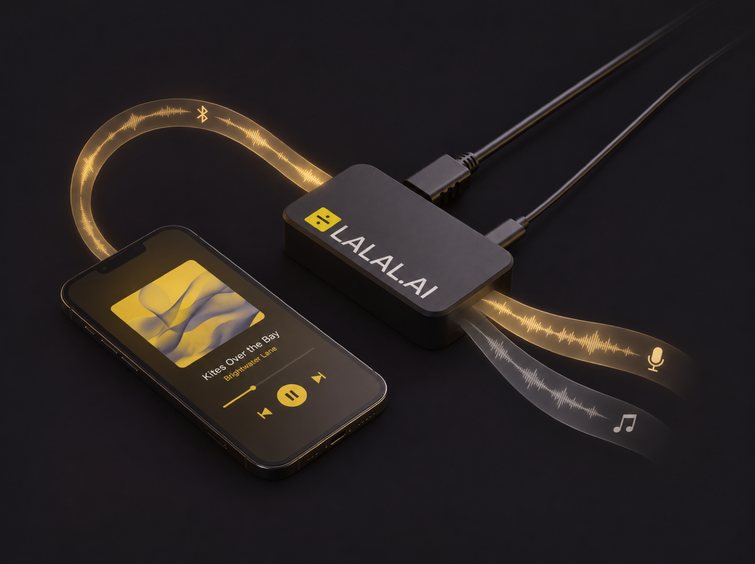
Pair a phone or computer, play a song, press the button. The box separates the vocals while the music plays.
The box separates the music as it plays, and the audio is not sent anywhere. This prototype needs no internet connection.
On boards with an NPU, the LALAL.AI SDK can also separate the drums, the bass or the piano, so your device can remove or isolate them the same way as the vocals. Your product sets its own modes and controls. What runs on a given board depends on its hardware.
The label on each card shows what the prototype does today, what the LALAL.AI SDK could add and what is still in development.
Runs on the Prototype
A TV box, speaker or soundbar with a sing-along mode. The song plays as usual, and one press removes the vocals so everyone can sing along.
Runs on the Prototype
A practice device that plays only the vocals so a singer can learn the part, then plays the song without vocals to rehearse it.
Runs on the Prototype
A classroom player that lets students compare the original song, the vocals alone and the music without vocals.
Possible With the SDK
A play-along speaker that removes the drums, the bass or the piano so a musician can play that part. The LALAL.AI SDK can separate these parts on a board with an NPU.
In Development
A TV or soundbar that separates dialogue from music and background noise on the device, so speech stays clear. The SDK’s real-time speech cleanup is in development and is not part of the prototype.
A ready-to-run system image for off-the-shelf single-board computers such as the Radxa Cubie A7Z. Other boards on request. Available to hardware teams under an evaluation agreement, after we have discussed your device. Evaluation is free. Once the image is on your board, the prototype starts within a minute.
Request the ImageYou do not pay LALAL.AI for processing minutes. If you decide to proceed, we agree on commercial terms.
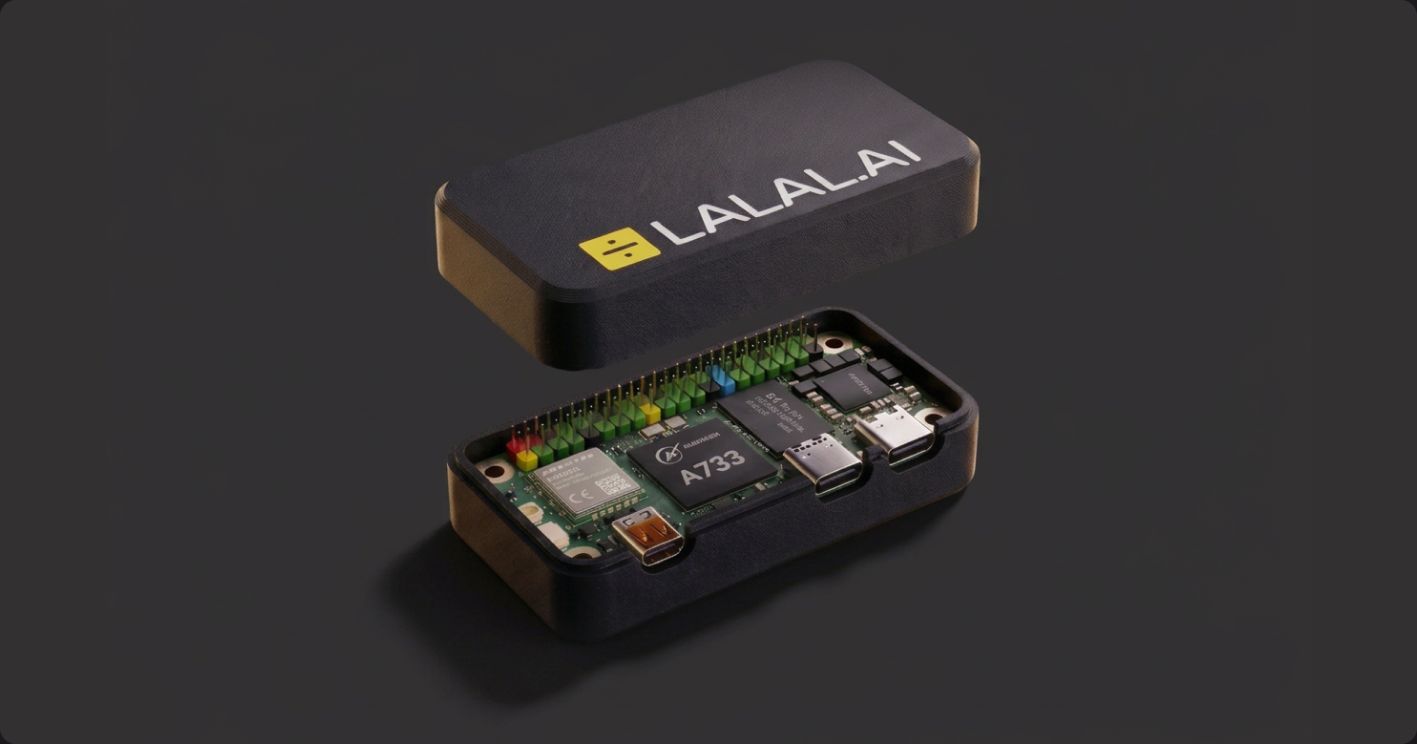
The prototype uses a Radxa Cubie A7Z board with the Allwinner A733 chip. The chip’s neural processing unit (NPU) runs the audio model. On request, we build the LALAL.AI SDK for other chips with an NPU from Allwinner, Rockchip, Amlogic and Sophgo.
The LALAL.AI SDK separates a song into parts such as vocals, drums, bass and piano. The C++ reference player handles Bluetooth input, playback modes and audio output. Use it as the starting point for your product.
The ready-to-run image includes a minimal Linux system, Bluetooth support and the reference player. Your team adapts this system to your board, audio connections and controls.
Measured on the reference board: the player with real-time vocal separation uses about 49 MB of RAM, not counting the operating system and system services. In our sustained tests, it played without audio dropouts.
Before you decide, we work with your team to check that the stems and playback modes your product needs run on your board or chip. You get numbers from your own hardware, not estimates.
We check that the models for the stems you need run on your NPU with the chip vendor’s runtime and driver.
We measure processing time and memory use, and check that playback stays stable over long runs.
We compare your board’s output with the original model’s output. Then we listen to the results with your team, using music your product will play.
Share your toolchain, the model operations your NPU supports and its runtime. We assess the port and plan the integration with your engineers.
Tell us which stems you need and the board or chip you are considering. Evaluation is free.
Discuss Your Project


