


Remove Vocals and Instrumentals from Audio and Video
Vocal remover built for pro-level quality. Powered by AI and transformer technology.
By uploading a file, you agree to our Terms of Service.
What is LALAL.AI?
Starting as a simple, single-purpose tool for vocal removal, LALAL.AI became the #1 vocal remover and has since grown into a full suite of audio processing products for casual and professional use.
Today, it offers a range of products for voice cleanup, vocal separation, and creative voice tools. That includes noise, echo, and reverb reduction, lead and backing vocal separation, voice changing, and voice cloning.
Vocal Remover & Stem Splitter
Remove vocals or instrumentals from songs. Isolate drums, bass, guitar, piano, and more.
 Vocals
 Instrumental
 Drums
Drums Bass
BassMore stems supported:
 Guitars
 Acoustic Guitar
 Electric Guitar
 Piano
Piano Synthesizer
 Strings
 Wind
WindVoice Cleaner
Remove background noise and other unwanted sounds to clean voice or vocals in audio & video.

Voice Changer
Change your voice for podcasts, videos, and creative use. Adjust the accent and tonality.

Enterprise Solutions
Process secure bulk audio with custom enterprise integrations via API.

Voice Cloner
Clone your voice to quickly produce professional ad reads, voiceovers, and beyond.




Echo & Reverb Remover
Remove echo and reverb from roomy recordings to improve voice clarity.

Lead/Back Splitter
Extract lead vocals, backing vocals, and instrumental, plus a backing+music mix.
Choose Your Plan


Two New Andromeda Stems
Just Landed
Try Guitars and Piano
Sixth-gen engine.
Six years of innovation
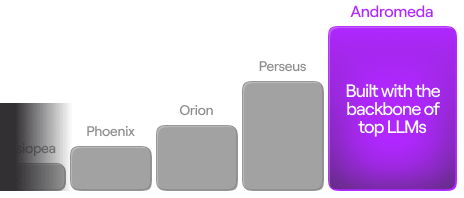

Training data

Faster processing
FAQ
A vocal remover is a tool that helps remove vocals from a song or separate vocals from instrumentals. People often use vocal removers to create karaoke tracks, extract acapellas, or prepare stems for remixing, editing, and content production.
To remove vocals, the tool analyzes the track and detects which parts of the audio belong to the human voice. It then separates the vocal layer from instruments such as drums, bass, guitar, and synths, as well as other elements in the mix.
LALAL.AI Vocal Remover is one example of an online service that can remove vocals, isolate vocals, extract various individual instruments, and split a track into vocal and instrumental stems.
LALAL.AI Vocal Remover can be used to remove vocals from a song or video in just a few steps. You upload the file, the tool analyzes the audio, separates the vocal and instrumental parts, and then lets you download the versions you need.
- Open the LALAL.AI Vocal Remover and upload your audio or video file.
- Let the vocal remover analyze the track and detect the vocal and instrumental parts.
- Preview the separated result to check the vocal removal quality.
- Download the instrumental version if you want a track with vocals removed; download the vocal stem if you want to isolate the voice instead of removing it.
Yes, you can remove lead vocals or backing vocals separately with LALAL.AI Vocal Remover. When the Lead/back separation setting is enabled, the service separates the main vocal from the background vocal layers.
- Click the settings icon in the top-right corner of the upload widget.
- In the settings list, find Lead/back separation.
- Turn on the switch next to this setting.
- Upload your audio or video file.
- Wait for the track to be processed.
- Listen to the preview to evaluate the separation result. At this stage, only Lead Vocal, Backing Vocal, and Instrumental are available to preview.
- Click the Split in Full button to process the complete file.
- Download the tracks you need.
After the full file is processed, you can choose from four output tracks: Lead Vocal, Backing Vocal, Instrumental, and Back Vocal + Instrumental, with the combined Back Vocal + Instrumental track generated at this stage.
LALAL.AI Vocal Remover supports multiple popular audio and video formats for online vocal removal and audio separation.
- Audio formats: MP3, OGG, WAV, FLAC, AIFF, AAC, M4A.
- Video formats: AVI, MP4, MKV, MOV, M4V.
Getting better vocal removal results usually depends on the quality of the original file and the way the track was mixed. In general, a vocal remover works best when the vocals are clear, the instruments aren’t too heavily layered over the voice, and the source audio has minimal distortion or compression artifacts.
If you want to improve vocal removal results, it helps to:
- Use a high-quality source file whenever possible.
- Upload the full track instead of a heavily compressed excerpt.
- Choose a version of the song with less background noise, clipping, or distortion.
- Keep in mind that dense mixes with reverb, harmonies, and overlapping instruments may be harder to separate cleanly.
- Preview the result before downloading to make sure the separation quality meets your needs.
- Try a different neural network. Click the settings icon in the top-right corner of the upload widget, then select one of the available neural networks, regenerate the track snippets, and check the quality again.
Follow these steps to remove background noise and music with LALAL.AI Vocal Remover:
- Open the LALAL.AI Vocal Remover in your browser.
- In the upload widget, open the stem selection list and choose Voice and Noise.
- Click Select Files to upload your audio or video file.
- Preview the cleaned-up Voice track to check the noise removal result.
- If necessary, adjust the Noise Canceling Level in the settings.
- Click Split in Full to process the entire file.
- Download the Voice track with reduced background noise and music.
With LALAL.AI Vocal Remover, you can extract or remove multiple instruments and audio elements from a track by selecting the appropriate stem type. Available options include Vocal and Instrumental, Drums, Bass, Electric Guitar, Acoustic Guitar, Piano, Synthesizer, Voice and Noise, String Instruments, and Wind Instruments.
Yes, LALAL.AI Vocal Remover lets you change the output format of the processed track. By default, the output file keeps the same format as the uploaded file, but you can choose a different one before full processing begins.
How to change the output format in LALAL.AI:
- Open the LALAL.AI Vocal Remover in your browser.
- In the upload widget, select the stem you want to remove or extract.
- Click Select Files and upload your audio or video file.
- Wait for the separated track previews to appear.
- Under the previews, click the arrow next to the Split in Full button.
- Choose the output format you need from the drop-down list.
- Start full processing and download the result in the selected format.
For audio files, LALAL.AI Vocal Remover supports such output formats as MP3, OGG, AAC, WAV, and FLAC. For video files, the result can stay in the original video format or be converted to one of the supported audio formats.
Yes, LALAL.AI Vocal Remover can help reduce echo and reverb to improve speech clarity, clean up vocal tracks, and make spoken audio or singing easier to use for editing, publishing, or transcription.
How to reduce echo in vocals and voice recordings with LALAL.AI:
- Open the LALAL.AI Vocal Remover in your browser.
- In the upload widget, select either Vocal and Instrumental or Voice and Noise.
- Click the settings icon in the top-right corner of the upload widget.
- In the settings list, find De-echo.
- Turn on the switch next to this setting.
- Click Select Files and upload your audio or video file.
- Wait for the preview to appear.
- Listen to the result and check whether the voice sounds cleaner.
- Process the file in full and download the output with reduced echo and reverb.
LALAL.AI Vocal Remover offers three pricing options: Starter, which is free, Lite at $9.99 per month or $90 annually ($7.5/month), and Pro at $19.99 per month or $180 annually ($15/month).
Yes, LALAL.AI Vocal Remover includes a free Starter plan. It's mainly intended for testing the service, so you can upload a file, preview the result, and see whether the separation quality works for your needs.
The Starter plan includes 10 minutes in the Relaxed Queue and supports uploads up to 200 MB per file. However, downloading the full result isn't available on this plan.
Starter is best for testing the service and checking the output quality before committing to a paid option. Lite works better for regular everyday use, while Pro is the better choice if you need more processing capacity for frequent or ongoing work.
Yes, LALAL.AI offers one-time Top-Ups for users who need extra processing minutes without changing their current plan. The available options are Master with 750 minutes for $50, Premium with 3000 minutes for $190, or Enterprise with 5000 minutes for $300.
Yes, LALAL.AI offers custom pricing for businesses and enterprise customers. If you need a more tailored setup for large-scale audio or video processing, you can submit a request through the enterprise quote request form. After that, our team will review your request and follow up with a suitable setup and a tailored quote.
Yes, you can cancel your LALAL.AI subscription whenever you need to. After cancelation, the subscription stays active until the end of the current billing period and doesn't renew automatically.
To cancel, follow the steps below:
- On the site, hover the cursor over the minute balance at the top right corner of the page. It will expand into a window with information about your subscription and remaining minutes.
- In this window, click on the Profile section.
- On your Profile page, click the Manage Subscription button. It will take you to the page where you can manage your subscription.
- Click the Cancel Subscription button.
You’ll be able to use premium features and your remaining minutes until the end of your current subscription period, as shown by the expiration date in the top-right menu.
The subscription is not refundable. After the subscription period ends, our system will not request another payment from your account.
There are several stem separation types you can choose from. One separation type is applied at a time, giving you two stems per file. Depending on the selected type, you receive a pair of vocal and instrumental stems, isolated drums + drumless stem, isolated bass + bassless stem, etc.
Minutes are deducted from the account by the following formula:
Total file length x stem separation type(s) number
Example:
File length: 5 minutes
Selected separation types: Drums, Piano and Vocal/Instrumental.
Total number of deducted minutes: 5 minutes x 3 stem separation types = 15 minutes
Relaxed mode queues files for processing as server capacity allows (wait times vary by load);
Fast mode provides instant priority access for quicker results. Both deliver identical quality.
In Fast mode, you have a limited number of minutes per month. Unused Fast minutes reset at the start of each new month and do not roll over. Use them before renewal since the remaining time cannot be transferred or accumulated.
Note: You cannot manually switch modes. Instead, processing automatically starts in Fast mode at the beginning of each month until your minute limit is reached. Files then switch to Relaxed mode, where you can process unlimited minutes without restrictions.
All limits are displayed in your profile. On the site, hover the cursor over the minute balance at the top right corner of the page. It will expand into a window with information about your subscription and remaining minutes.
Yes, if your Fast minutes are depleted before the end of the month, you can purchase top-ups (additional minutes) for extra priority queue processing. Depending on your needs, you can get the Master top-up (750 minutes), Premium (3000 minutes), or Enterprise (5000 minutes) option.
Apps & Plugins
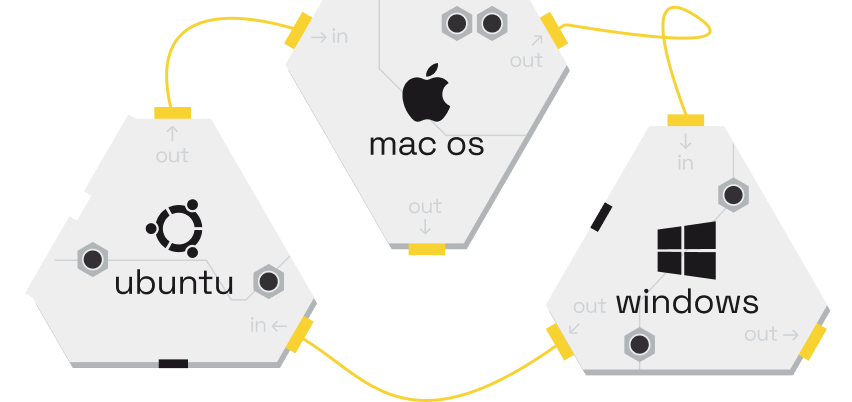
Download the LALAL.AI applications for convenient use on your devices. Integrate our powerful AI technology into your site, widget, or service.
Get It
Try our remover of vocal, accompaniment and instruments now
Select the stem separation type and get results in seconds.
By uploading a file, you agree to our Terms of Service.
