3 Best Stem Splitters for Offline Work Right in Your DAW
Compare the best stem separation plugins for offline DAW work in 2026.

Stem separation has moved from a niche post-production task to a core part of everyday production workflows. Remixers, sound designers, DJs, producers, and session musicians increasingly need stems mid-session, not after a cloud upload and a queue wait. That shift has made offline stem splitting inside a DAW one of the most in-demand capabilities in audio software right now. As such, data from Mordor Intelligence shows that the inclusion of built-in stem-separation tools and auto-mix engines in DAWs actively lowers skill barriers, and that these offline features are a key driver in attracting and retaining new creators into paid tiers.
This guide covers the best tools available in 2026 for offline or DAW-integrated stem separation, what each one actually does well, and where each falls short. Pricing, stem counts, OS support, and plugin format compatibility are verified from official product pages and publisher documentation.
What this guide covers, and what it doesn't. The tools reviewed here are third-party plugins that work across multiple DAWs, so you can evaluate them independently of which DAW you already use. Several capable tools were deliberately left out of the main comparison for this reason:
- Apple Logic Pro's native Stem Splitter (up to 6 stems, local, Apple Silicon only) and Ableton Live 12's built-in stem separation are both solid local options but they're DAW-native features, not portable plugins. If you're already on Logic or Ableton, you may not need a separate plugin at all.
- Ultimate Vocal Remover 5 (UVR) is a free, fully local standalone app with a wide selection of AI models (MDX-Net, Demucs, and others). It's widely considered the most capable free option for power users but it operates outside your DAW, requiring a separate export/import step rather than in-session integration.
- Hit'n'Mix RipX DAW is a stem-aware DAW environment in its own right but it offers integration capabilities with traditional hosts like Pro Tools, Cubase, and Reaper using the RipLink VST3/ARA2 plug-in and AudioSuite extension.
If any of those fit your workflow better, they're worth investigating on their own terms.
What "Offline" Means When It Comes to Stem Separation
Before comparing tools, it helps to define the terms precisely. Two concepts often get conflated in plugin marketing:
"Offline" can mean two different things:
- No-internet / local processing: the AI model runs on your own hardware, with no audio sent to external servers. This is about where processing happens.
- Offline (file-based) processing: the plugin takes a complete audio file, processes it in one pass, and returns a result. This is about how processing happens (as a batch operation, not in a stream).
Streaming (live) stem separation is another mode worth mentioning: the plugin processes audio continuously as playback runs, rather than waiting for a complete file. This enables stems to be available inside a session as audio plays.
These two axes are independent: a plugin can do streaming processing locally (with no internet), or streaming processing via the cloud, or file-based processing locally.
The LALAL.AI VST plugin does streaming stem separation locally, which means it processes audio as your DAW plays it, entirely on your machine. "Offline" in LALAL.AI's context means no-internet. This combination—streaming + local—is what makes it usable mid-session without uploads or queue waits.
One important constraint on streaming: latency. True real-time audio for live sources (monitoring a microphone, playing an instrument) requires latency of 10–20 ms or less. The LALAL.AI plugin's current latency is approximately 300 ms, which is workable for DAW session preview (a brief delay at playback start, then smooth from there); it might be also suitable for on-stage performances because, despite the latency, modern DAWs compensate it via Plugin Delay Compensation (PDC).
3 Best Stem Splitters for Offline Work Right in Your DAW
#1. LALAL.AI VST Plugin: Best for Offline, No-Upload DAW Integration
Plugin format: VST3 (macOS, Windows, Linux); AU in beta
Stems: 7 (Vocals, instrumental, drums, bass, piano, acoustic guitar, electric guitar)
Pricing: Included in LALAL.AI Pro subscription ($19.99/month or $15/month billed annually at $180/year)
Activations: Up to 3 workstations per license
Internet required: No, fully offline after one-time license activation (periodic background subscription check only)
The LALAL.AI VST plugin runs on Lyra, a stem separation model built specifically for on-device processing. It does stem separation locally: audio is processed as your DAW plays it, entirely on your machine, so no uploads to external servers, no minutes deducted, no need to wait in server queues. GPU and NPU acceleration are supported, so stems are available with minimal delay even on consumer hardware.
This is the key distinction from cloud-based plugins like Moises, which sends audio to remote servers for every separation and does not perform AI audio separation directly on your local computer. Lyra does the same job locally.
Lyra separates into 7 stems inside your DAW. Load the plugin on a track, select the stem you want to extract or remove, and it's available as your session plays. The interface is intentionally minimal: you can just switch between stems (check the demo video to see how it works) and calibrate latency if needed.
The plugin is compatible with any DAW that supports VST3, and has been tested in Ableton Live, Reaper, and VST3-enabled versions of Audacity. AU support for Logic Pro is currently in beta. Pro Tools is not supported (Pro Tools requires AAX format, which LALAL.AI is considering for future updates).
On latency: The current version operates with approximately 300 ms of latency. For DAW session work, such as previewing a separated vocal or instrumental as you build a session, this is workable: there's a brief delay at playback start, then it runs smoothly. For workflows involving live instrument inputs or on-stage monitoring (where latency under 20 ms is the standard), 300 ms might be too high; however, most DAWs compensate it.
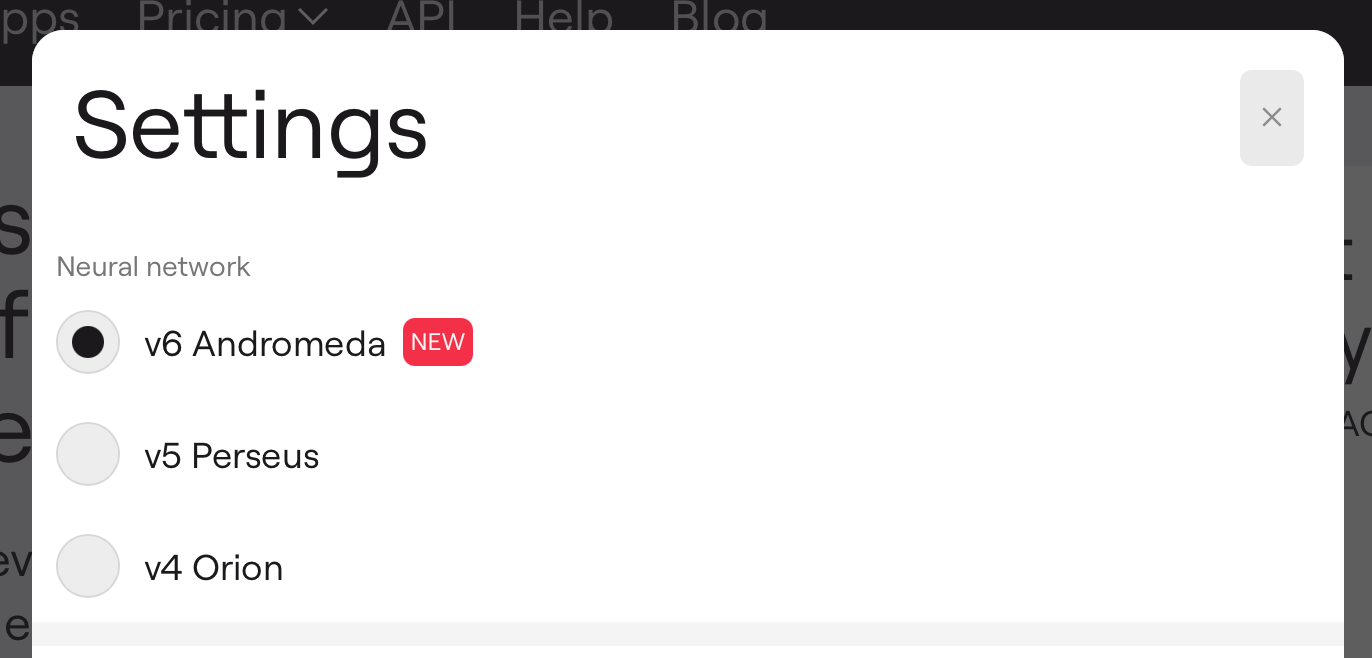
On quality: Lyra is a compact model built to run efficiently on consumer hardware. For final mixes, pre-release mastering, or dense material, LALAL.AI's cloud models (Andromeda, Perseus, or Orion) produce higher-quality separation. The practical workflow is to use Lyra inside the DAW for iteration and drafts, then run a cloud model when the stem needs to be at its best.
Who it's for: Producers and remixers who need stems mid-session without leaving the DAW; engineers working with confidential or NDA-covered material; anyone who needs stem separation to work reliably without an internet connection.
#2. iZotope RX 12 (Music Rebalance): Best for Post-Production and Audio Restoration Workflows
Plugin formats: AU, AAX, AAX Audiosuite, VST3, AU ARA, VST3 ARA. Notes All formats are 64-bit only.
Stems: 4 — Vocals, Bass, Percussion, Other
Pricing: Elements $99 / Standard $399 / Advanced $1,399 (upgrade from RX 11: $129 Standard, $269 Advanced)
Internet required: No — processes locally
DAW compatibility: Logic Pro 12, Pro Tools 2025, Ableton Live 12, Cubase 15, Nuendo 15, Reaper 7, FL Studio 25, and others
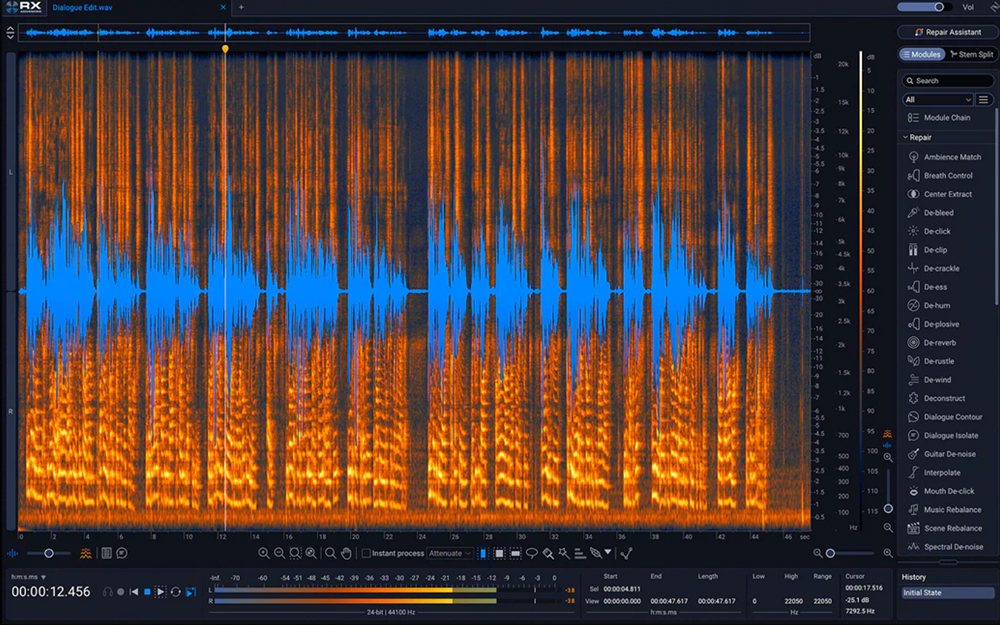
iZotope RX 12 is a 50+ tool audio restoration suite with Music Rebalance as its stem separation module. In RX 12, Music Rebalance received upgraded neural nets and became available as a standalone real-time plugin in addition to the existing offline module. The new Stems View feature lets you apply any of RX's restoration tools, such as De-hum, Spectral Repair, De-click, to individual isolated stems before recombining them.
Music Rebalance separates into 4 stems only (Vocals, Bass, Percussion, Other). That's fewer than most dedicated stem tools, and the "Other" stem is a catch-all for everything not explicitly recognized. For music production workflows where guitar, piano, or synth isolation matters, this is a meaningful limitation. MusicRadar's January 2026 roundup of 11 stem separation tools noted that iZotope RX "treat[s] the remaining audio as a single 'other' stem," while tools like LALAL.AI can isolate guitars and piano as distinct stems.
Where RX 12 justifies its price is in the surrounding toolset: no other stem splitter on this list gives you spectral editing, de-clicking, de-humming, breath removal, and lossless stem separation in one environment. For dialogue editors, post-production engineers, and music producers who already use RX as their primary repair tool, Music Rebalance is a natural extension of an existing workflow.
RX 12 Standard ($399) is the minimum for Music Rebalance access. The standalone app is not included in Elements ($99).
Who it's for: Post-production engineers, dialogue editors, music producers who are already in the iZotope ecosystem and want stem separation as one capability among many.
#3. zplane PEEL STEMS: Best One-Time Purchase for Local Separation
Plugin formats: VST3, AU, AAX (macOS and Windows only; no Linux)
Stems: 4 — Vocals, Drums, Bass, Other (melodic and harmonic instruments)
Pricing: €59 one-time purchase; crossgrade from PEEL: €20
Internet required: No, fully local, license stored on device
DAW compatibility: Any VST3, AU, or AAX-compatible DAW; tested on Pro Tools, Ableton Live, Logic Pro, Reaper, FL Studio, and Reason.
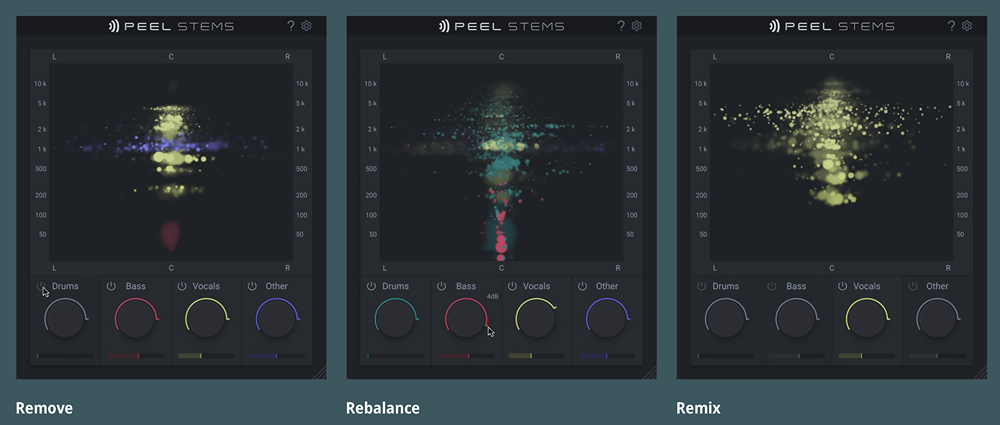
PEEL STEMS by zplane is a stem separator that runs entirely on your machine, which means that no cloud processing is needed, no uploads to external servers are expected, and no subscription is required. Since it processes locally, it splits the stereo track on the fly as it plays back, rather than requiring you to wait for an offline file rendering process. Local real-time separation requires the plugin to "read ahead" slightly. It introduces an internal processing latency of approx. 480 ms (unlike LALAL.AI's 300 ms), which most modern DAWs automatically correct via Plugin Delay Compensation during playback.
Unlike LALAL.AI, it uses a one-time purchase model and supports AAX natively, which makes it the only fully local option on this list compatible with Pro Tools out of the box.
The plugin separates into 4 stems (Vocals, Drums, Bass, Other), which is a meaningful limitation compared to 7-stem tools like LALAL.AI. Guitar and piano are not available as isolated stems, they fall into "Other." For producers who need acoustic guitar or piano separated, this is a dealbreaker; for engineers who mainly need vocals, drums, and bass, it covers the common use cases.
Processing latency is approximately 480 ms, and zplane's documentation notes that playback latency is handled by the host in typical scenarios, though Pro Tools users need to compensate manually. Sound On Sound's review noted that quality is "most notable in busier mixes" where PEEL STEMS' real-time algorithm has a harder time compared to offline tools, but delivers "very usable results" for rebalancing and vocal removal in sparser material.
A separate spectral isolation plugin (PEEL, €49) is also available from zplane for frequency-based separation without AI, which is a different approach worth knowing about if your workflow involves loop rebalancing rather than full stem extraction.
Who it's for: Pro Tools users who need local stem separation without a subscription; producers who want a one-time purchase DAW plugin for vocals, drums, and bass isolation.
Comparison Table
| LALAL.AI VST Plugin | iZotope RX 12 | zplane PEEL STEMS | |
|---|---|---|---|
| No-upload / local | ✅ | ✅ | ✅ |
| Stems | 7 | 4 | 4 |
| Plugin formats | VST3 (AU beta) | VST3, AU, AAX, ARA | VST3, AU, AAX |
| Pro Tools (AAX) | ❌ (in consideration) | ✅ | ✅ |
| Linux | ✅ | ❌ | ❌ |
| Pricing model | Subscription ($15/mo (billed annually as $180)–$19.99/mo) | One-time ($399–$1,399) | One-time (~€59) |
| Unlimited processing | ✅ | ✅ | ✅ |
| GPU/NPU acceleration | ✅ | Unspecified | ❌ |
| Approx. latency | ~300 ms | File-based (no latency) | ~480 ms |
| Best for | Privacy, 7 stems, batch work | Post-production, restoration | Pro Tools, one-time purchase |
How to Choose
If audio privacy is a requirement: Use LALAL.AI VST plugin. It's the only tool here that guarantees audio never leaves your machine, which is relevant for unreleased material, NDA-covered recordings, or studio work where client confidentiality matters.
If you're already in the iZotope ecosystem: RX 12 Standard adds stem separation alongside all existing restoration tools. It's the most logical path if you're already paying for RX and don't need more than 4 stems.
If you use Pro Tools and need local processing: zplane PEEL STEMS is the only fully local plugin on this list with native AAX support. It covers vocals, drums, and bass as distinct stems. If you need more stems and don't have privacy constraints, cloud solutions, including LALAL.AI web service, can be an alternative.
If you need to separate guitar or piano as distinct stems: Only LALAL.AI reaches 7 stems locally. Both iZotope RX 12 and zplane PEEL STEMS stop at 4, grouping everything else into "Other."
If budget is the priority: zplane PEEL STEMS at ~€59 one-time is the most affordable entry point for a fully local DAW plugin with Pro Tools support.
A Note on Using Offline and Cloud Models Together
One approach worth considering for production workflows: use an offline tool for iteration and a cloud model for final output.
LALAL.AI explicitly structures this workflow. Lyra (the local model in the VST plugin) is designed for speed and experimentation. When you're ready to commit to a stem for a final mix or release, LALAL.AI's cloud models, especially Andromeda, run on high-performance servers with no computational constraints on the hardware side. The practical approach is to use Lyra inside the DAW to find the right stem and settings quickly, then run the final version through a cloud model when quality is the priority.
If You're Already on Logic or Ableton
Two DAWs worth mentioning separately: Apple Logic Pro includes a native Stem Splitter (up to 6 stems: Vocals, Drums, Bass, Guitar, Piano, Other) that runs locally on Apple Silicon and requires no additional plugin or subscription. Ableton Live 12 similarly has built-in stem separation integrated directly into the timeline, also running locally.
If you're already using either of these DAWs on compatible hardware, the case for a separate plugin is weaker unless you need stems that Logic or Ableton don't isolate (like acoustic vs. electric guitar separately), or you want separation that works identically across multiple DAWs.
FAQ
Can I use the LALAL.AI VST plugin without an internet connection?
Yes. After the license activation, the plugin operates fully offline. An internet connection is required occasionally for a background subscription check, but processing is always local. You can use the plugin in a remote studio, on a plane, or in any location without network access.
Does LALAL.AI's VST plugin work on Linux?
Yes. The plugin is available for Windows, macOS, and Linux. This is uncommon for AI-powered audio plugins as most competitors support only macOS and Windows.
Does the LALAL.AI plugin work in Ableton Live?
Yes. It is confirmed compatible with Ableton Live (VST3), Reaper, and VST3-enabled versions of Audacity. Any DAW with VST3 support should be compatible.
Can I use the LALAL.AI plugin with Pro Tools?
Not currently. Pro Tools requires AAX format. The LALAL.AI plugin provides VST3 as the primary format and AU in beta. AAX support is under active consideration for future updates.
Does iZotope RX 12 separate guitar or piano into individual stems?
No. Music Rebalance in RX 12 separates into Vocals, Bass, Percussion, and Other. Guitar and piano are grouped into "Other" and are not available as isolated stems.
How many workstations can I use the LALAL.AI plugin on?
The license can be activated on up to three workstations, tied to one account. The license is not transferable between users.
Is the LALAL.AI VST plugin a real-time stem separator?
It does streaming (live) stem separation, processing audio as your DAW plays it, rather than waiting for a complete file. All of this happens locally on your hardware, with no internet connection required. Current latency is approximately 300 ms.
Is there a free trial for the LALAL.AI VST plugin?
No free trial is available for the VST plugin specifically. A Pro subscription is required to access the plugin. The web app and desktop app have free tiers that allow limited processing with cloud models.
Follow LALAL.AI on Instagram, Facebook, Twitter, TikTok, Reddit, LinkedIn, and YouTube to keep up with all our updates and special offers.