LALAL.AI Activation Code: How the Alternative Login Method Works
LALAL.AI’s activation code is an alternative login method that simplifies access and supports shared use across devices. Here’s where to find and how to use it.

When it comes to accessing your LALAL.AI account, there are several login options available. One of these, the activation code, serves as an alternative to the regular email-based one-time code login. Unlike the one-time codes that are sent to your email every time you log in, the activation code is a multi-use, persistent code automatically assigned to every registered user. It can be used repeatedly to sign in via the LALAL.AI web platform, desktop apps for Windows, macOS, and Linux, as well as mobile apps for iOS and Android.
Reasons to Use the LALAL.AI Activation Code
The activation code method offers benefits that go beyond simple convenience. By eliminating the need to request and wait for a new one-time email code on every sign-in, it significantly speeds up the authentication process. Thanks to this, users who regularly work across several devices and platforms can switch seamlessly without having to hunt for new verification codes each time.
The activation code also supports scenarios where quick, repeated access is needed without sacrificing security. It enables shared access efficiently, allowing family members, collaborators, or trusted team members to access the same LALAL.AI account without the risks or complications of sharing email credentials or managing multiple one-time codes.
Another important aspect is the cross-platform compatibility. The activation code works across multiple platforms, including the web interface, desktop applications (Windows, macOS, Linux), and mobile apps (iOS, Android). Because the login process is the same regardless of device or platform, users don’t have to adjust to different procedures when switching environments.
Where to Find the LALAL.AI Activation Code
Follow the steps below to locate your unique LALAL.AI activation code.
1. Log In to Your Account
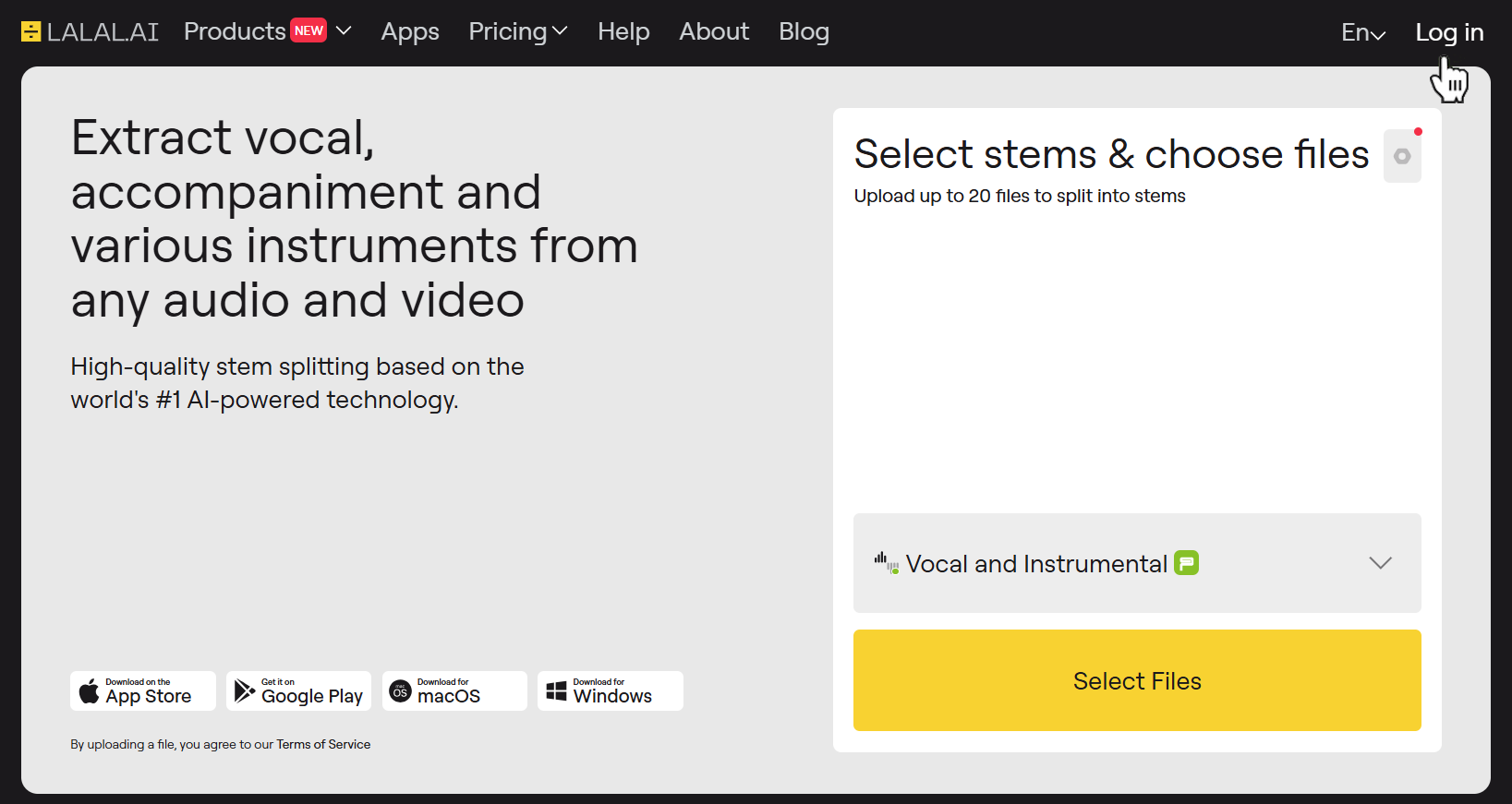
Open LALAL.AI in your browser. Click the Log In button in the top right corner of the page, then use one of the sign-in methods (Google, Facebook, Apple, or email).
2. Open Your Profile
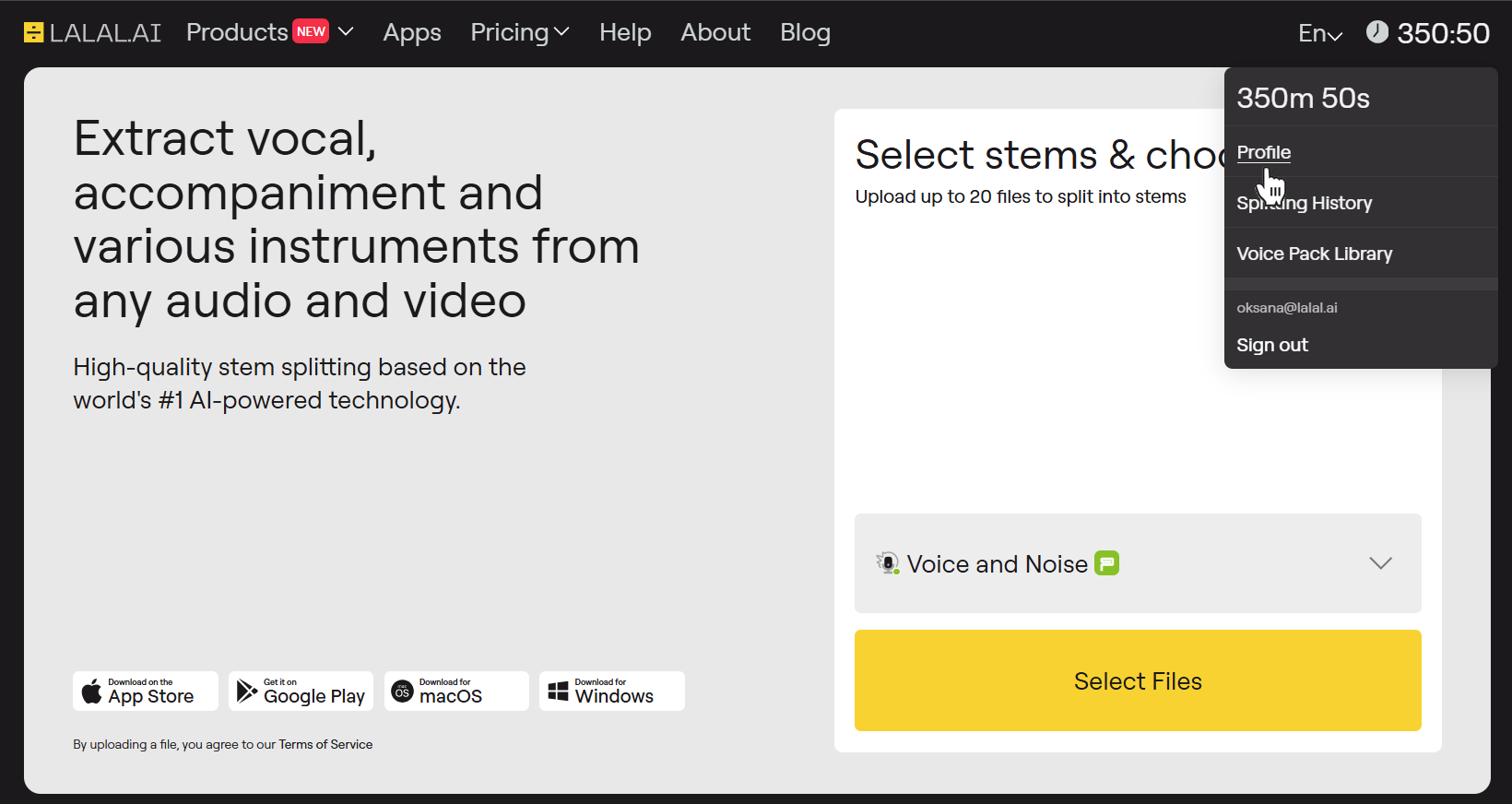
Once you’re logged in, hover the cursor over the minute count in the top right corner (exactly where the Log In button previously was). In the drop-down menu, select the Profile option.
3. Copy the Activation Code
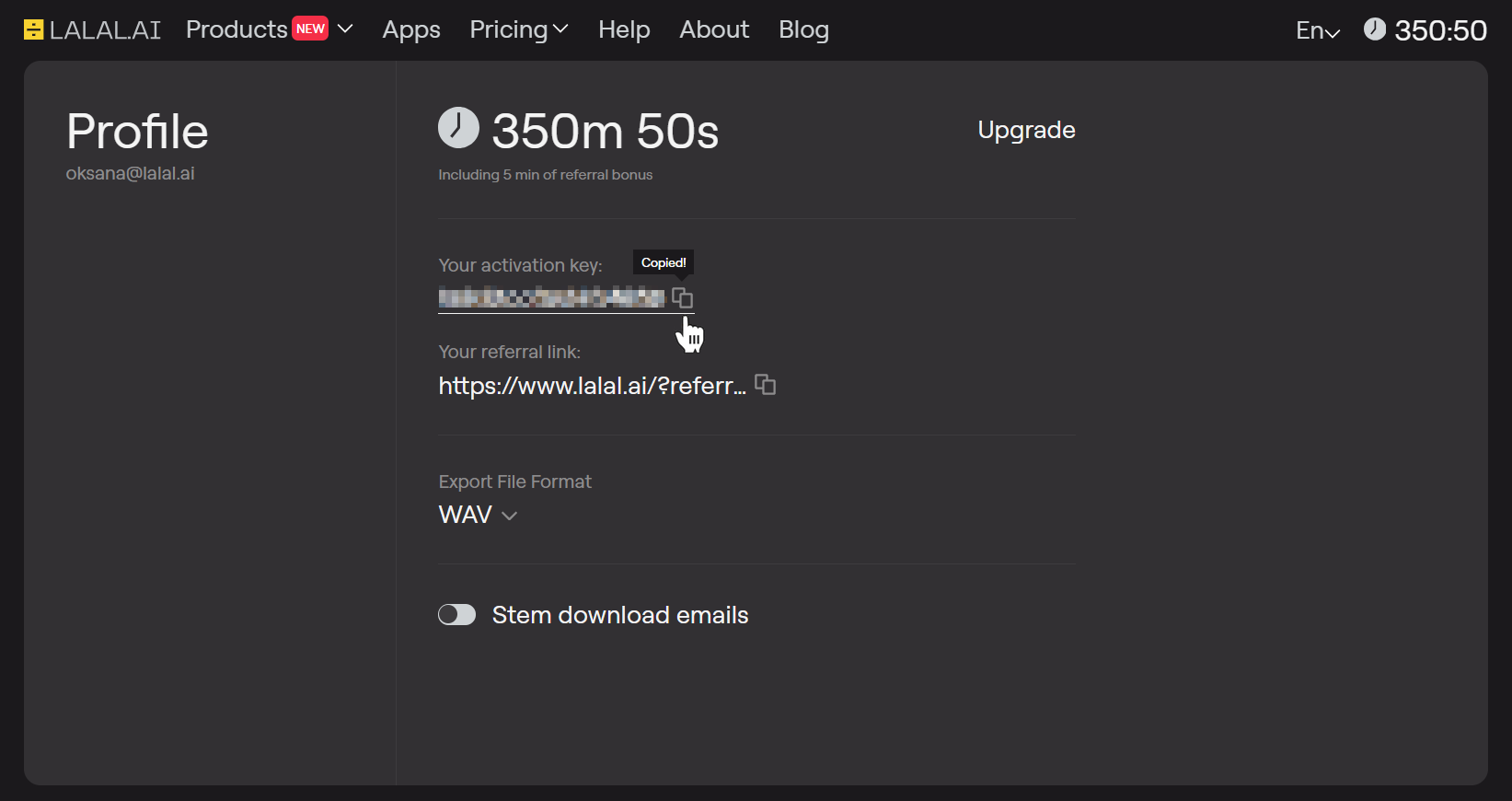
On your profile’s page, you’ll see your code above the referral link. Click the copy icon, then paste the code into your notes, password manager, or another place where you can always quickly access it.
How to Log In to the Desktop LALAL.AI App Using Your Activation Code
To follow these steps, you need to download and install the LALAL.AI desktop application on your Windows, Mac, or Linux.
1. Launch the App
Run the desktop LALAL.AI app on your computer.
2. Initiate the Sign-In Process
Click the Log In button in the bottom right corner of the application window.

3. Select the Activation Code Method
You’ll be prompted to either enter your email or use the code. Click the Continue with Activation Key button.
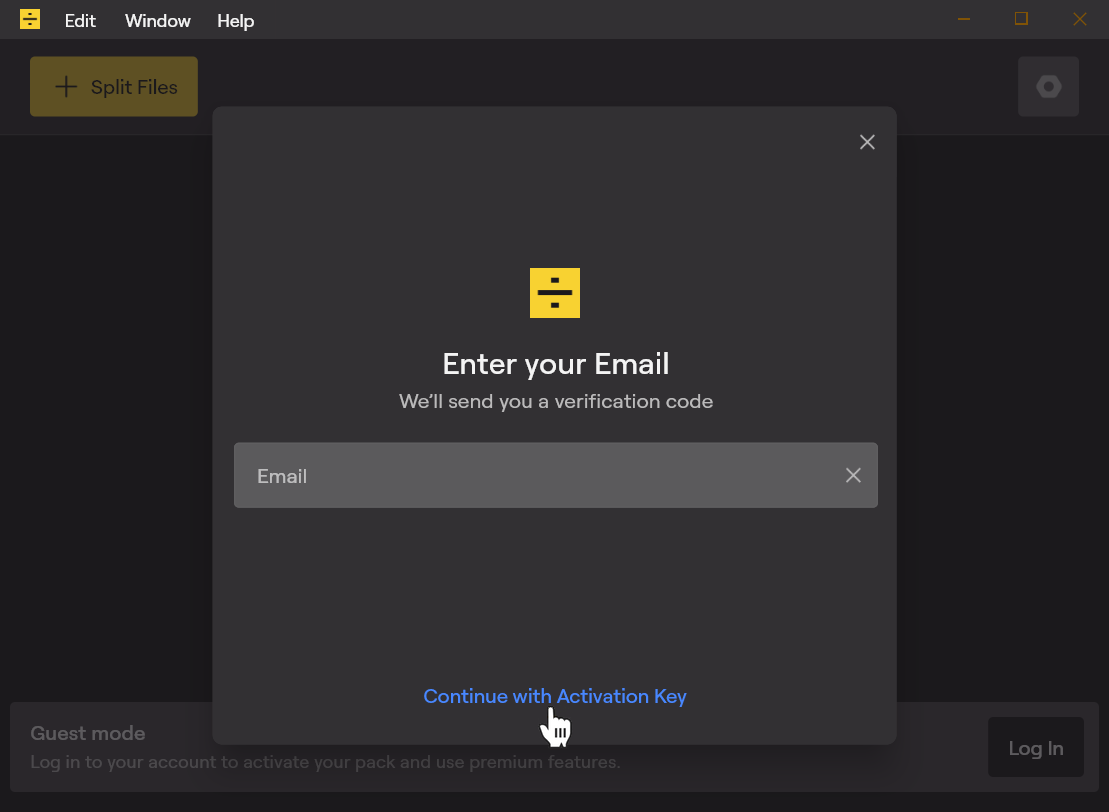
4. Enter Your Code
Copy the activation code from your profile and paste it into the activation field.
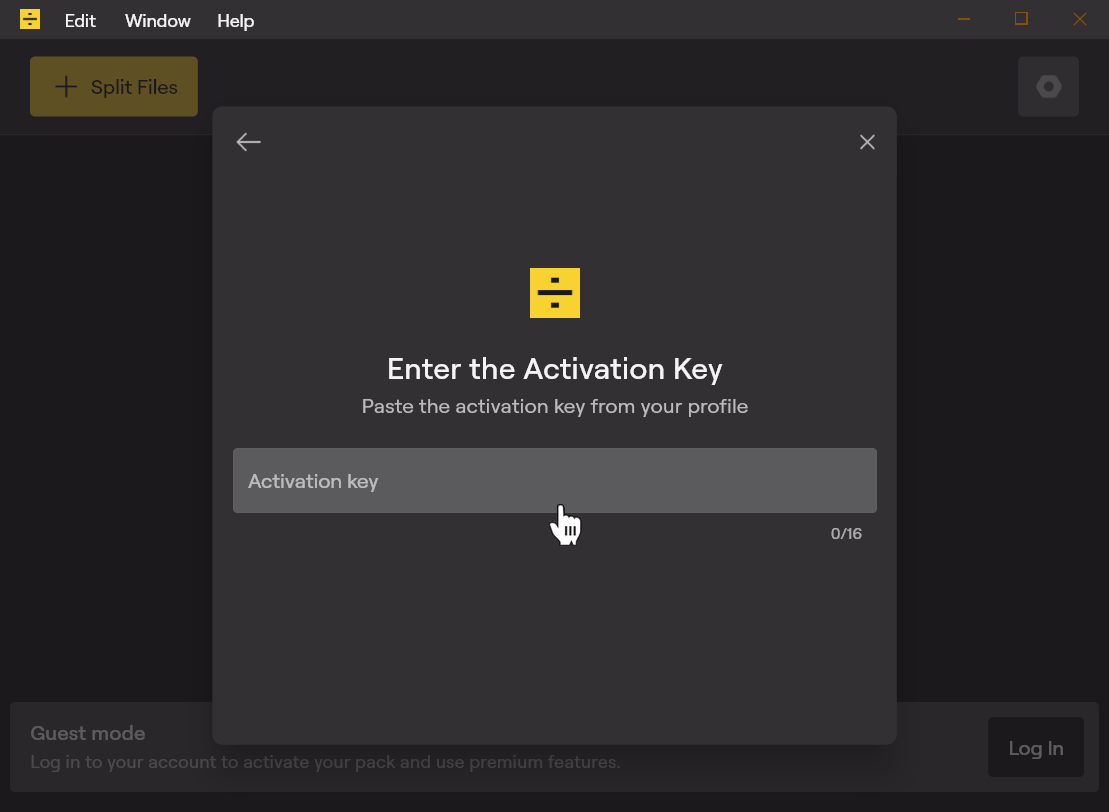
After that, you’ll be logged in and able to use all features.
How to Log In to the Mobile LALAL.AI App Using Your Activation Code
The process is pretty much the same as with the desktop app, except for the location of the buttons. Here is how it works, using the LALAL.AI mobile app for Android as an example.
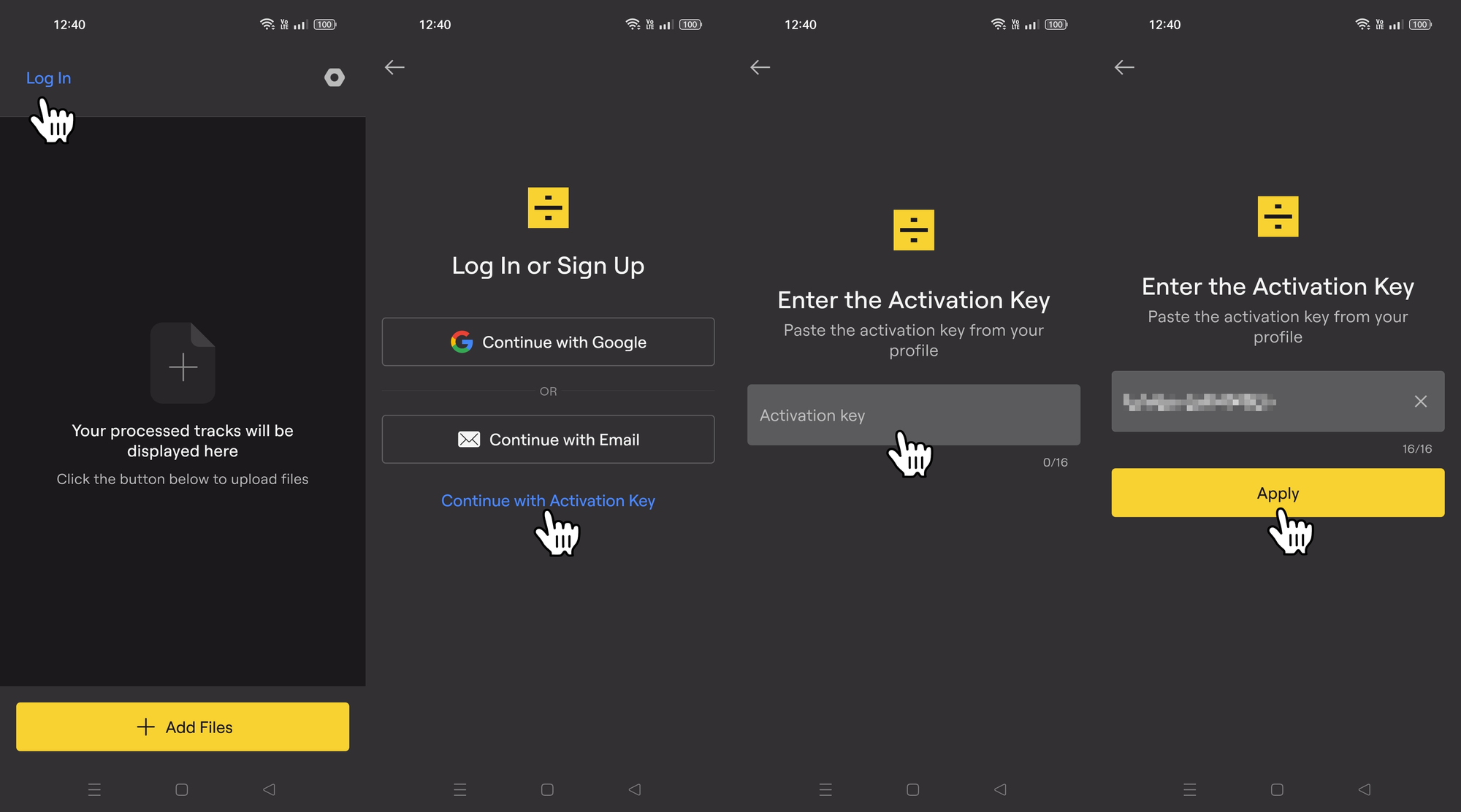
- Launch the application on your mobile device.
- Tap the Log In button (located in the top left corner on Android).
- Tap the Continue with Activation Key button.
- Paste your activation code into the designated field.
- Tap the Apply button.
That’s it! Now you know how the LALAL.AI activation key works and how to use it to log in to your account across devices and platforms.
Follow LALAL.AI on Instagram, Facebook, Twitter, TikTok, Reddit, and YouTube for more information on all things audio, music, and AI.