How to Clone a Voice for a Podcast: A Practical Guide (2026)
Learn how, as a podcaster, you can use AI voice cloning to fix flubs and keep a consistent host voice, plus the legal rules you need to know before you start.

Podcasting stopped being a niche hobby years ago. In 2026, roughly 167 million Americans, 58% of the population aged 12 and older, listen to a podcast at least once a month, and the US ad market built around that audience is on track to hit $3.0 billion this year, up 17.6% from 2025. These figures come from Edison Research’s Infinite Dial 2026 survey and IAB ad-spend research, and they sit against a backdrop of roughly 478,000 active shows that have published a new episode in the last 90 days. With that much competition for attention, production has stopped being optional, and voice cloning is becoming one of the tools creators reach for when a recording doesn't hold up.
This guide walks through what voice cloning actually does, when it makes sense for a podcast, how to build a clone step by step, and where the legal line is drawn. None of this requires a recording studio or a script written by a lawyer but it does require knowing the difference between fixing your own audio and putting words in someone else’s mouth.
Why Podcasters Are Experimenting with Voice Cloning (And Are They?)
Adoption is still early but moving fast. A survey of more than 1,100 podcast creators found that 25% were already using AI tools in production, another 58% said they were open to experimenting, and only 16% ruled it out over authenticity concerns. The same research found listeners are far more comfortable with AI applied to production quality than to content itself: 80% support AI for improving sound, and 72% are fine with AI handling transcripts and show notes, while only 53% accept AI-generated voices standing in for real people in fictional or interview-style content.
That split matters. It tells you where the audience draws the line, and it’s the same line most podcasters should draw for themselves: use voice cloning to clean up and extend your own production, not to fabricate someone else’s words.
In practice, that leaves several rather useful applications:
- Fixing mistakes without a re-record in cases like a mispronounced name, a dropped line, a sentence that trails off because a dog started barking, incorrect facts or numbers, etc. Instead of scheduling another recording session, you generate the missing line in your own cloned voice and drop it into the edit.
- Updating evergreen episodes or recording intros, outros, and ad reads once. If you run pre-roll or mid-roll ads that change weekly, a voice clone lets you update the copy without booking studio time every time a sponsor changes.
- Keeping a consistent voice across seasons. Home setups change, microphones get upgraded, colds come and go, so a trained voice model gives you a stable reference point when older and newer recordings need to sit next to each other.
- Localizing your show into another language. Voice cloning paired with a text or speech translation step lets a host’s own voice carry an episode into a second market, which matters given how much of podcasting's growth is now coming from outside English-speaking countries.
- Producing when the host is unavailable. A sick day or a guest host doesn’t have to mean dead air if a short scripted segment can be generated in the regular host's voice, with the host's knowledge and sign-off.
What it isn’t good for, and shouldn’t be used for, is putting new words in a guest’s mouth after the interview, resurrecting a public figure’s voice for satire without disclosure, or generating “quotes” that were never said. That's a different use case with a different legal exposure, covered below.
How Voice Cloning Actually Works
Voice cloning trains a model on samples of one specific person’s speech, then uses that model to generate new audio that carries that person’s tone, pacing, accent, and vocal texture. In case with LALAL.AI Voice Cloner specifically, it’s a speech-to-speech route, which means that you record something first, and AI transforms it into the target voice.
The other route, text-to-speech, works differently. There are quite a few tools that allow you to turn a written text into a spoken word. Typically, it works like this: you upload a text or type a script that needs to be narrated in another voice, select a voice model from the list the platform provides you with, and get that text read with a new voice. This scenario isn’t something we’ll cover in this article.
How to Clone Your Voice for a Podcast with LALAL.AI: A Step-by-Step Guide
LALAL.AI’s Voice Cloner is built around the speech-to-speech workflow, and it’s a reasonable reference point for how the process generally goes regardless of which tool you use.
- Gather clean voice sample(s). Upload at least a ten-minute long audio or video sample (one long recording or several short ones: LALAL.AI Voice Cloner supports batch uploads), free of background music, room echo, overlapping speakers, or noise. The clearer the source, the more natural the output. LALAL.AI has a separate voice sample guide if you’re recording from scratch.
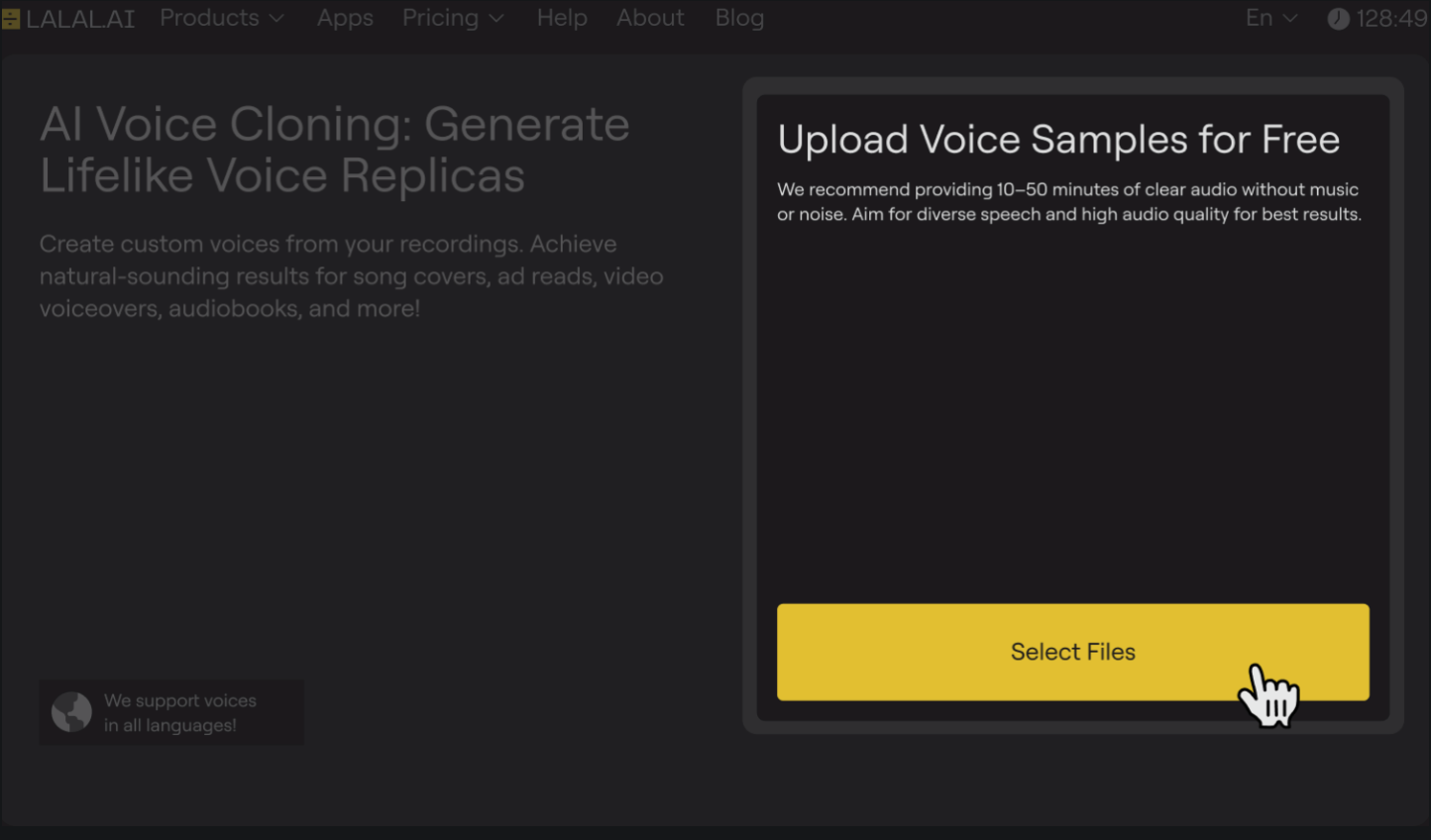
- Name your clone and choose an avatar. LALAL.AI will ask you come up with a name for your voice clone. That’s the name the Voice Pack will have in your Voice Pack library, which you can re-visit and re-use for other recordings.
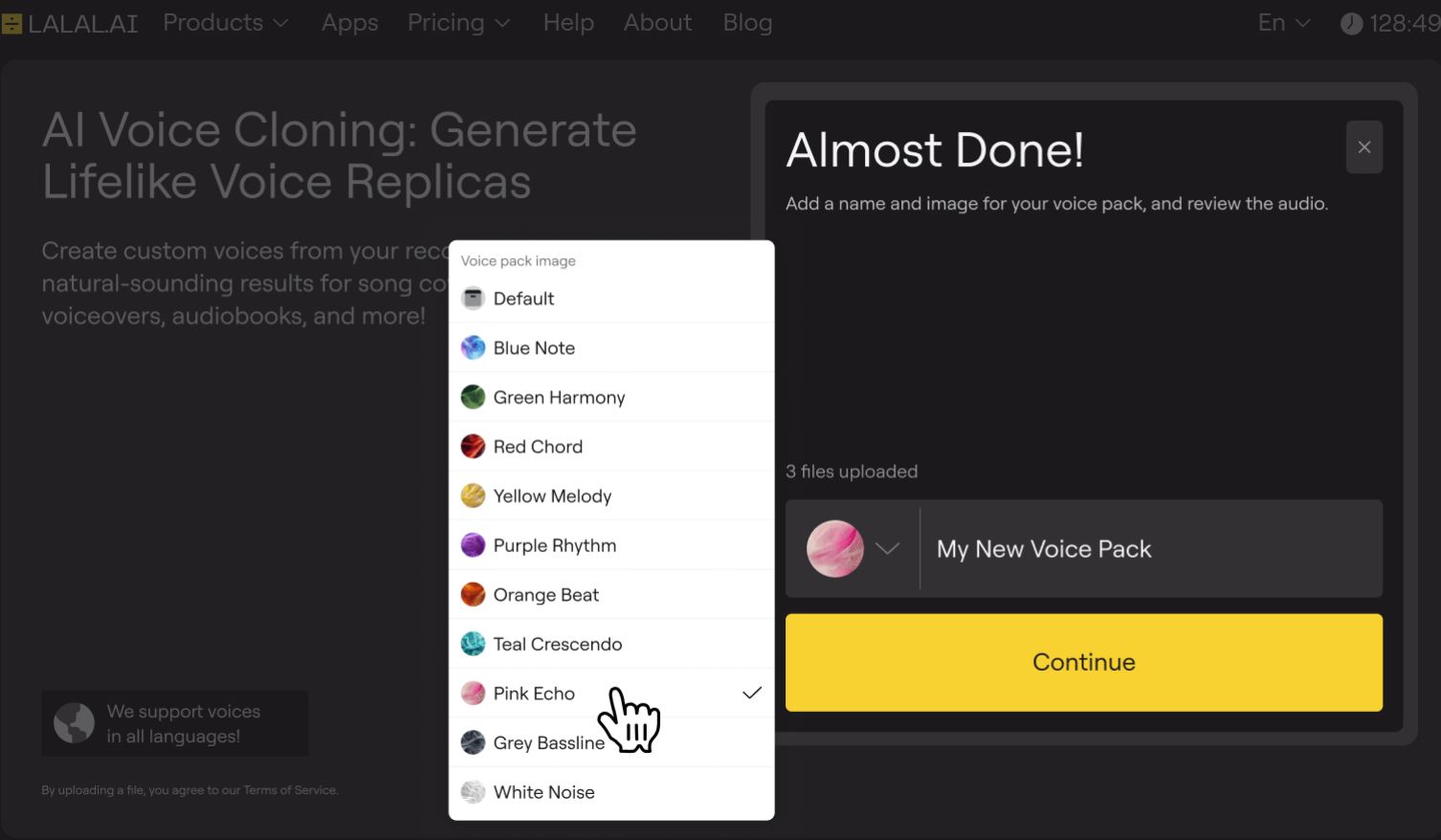
- Press Continue to start training. The model builds a Voice Pack from the sample you provide. Processing typically finishes within a few minutes, though longer or lower-quality files might take more time.
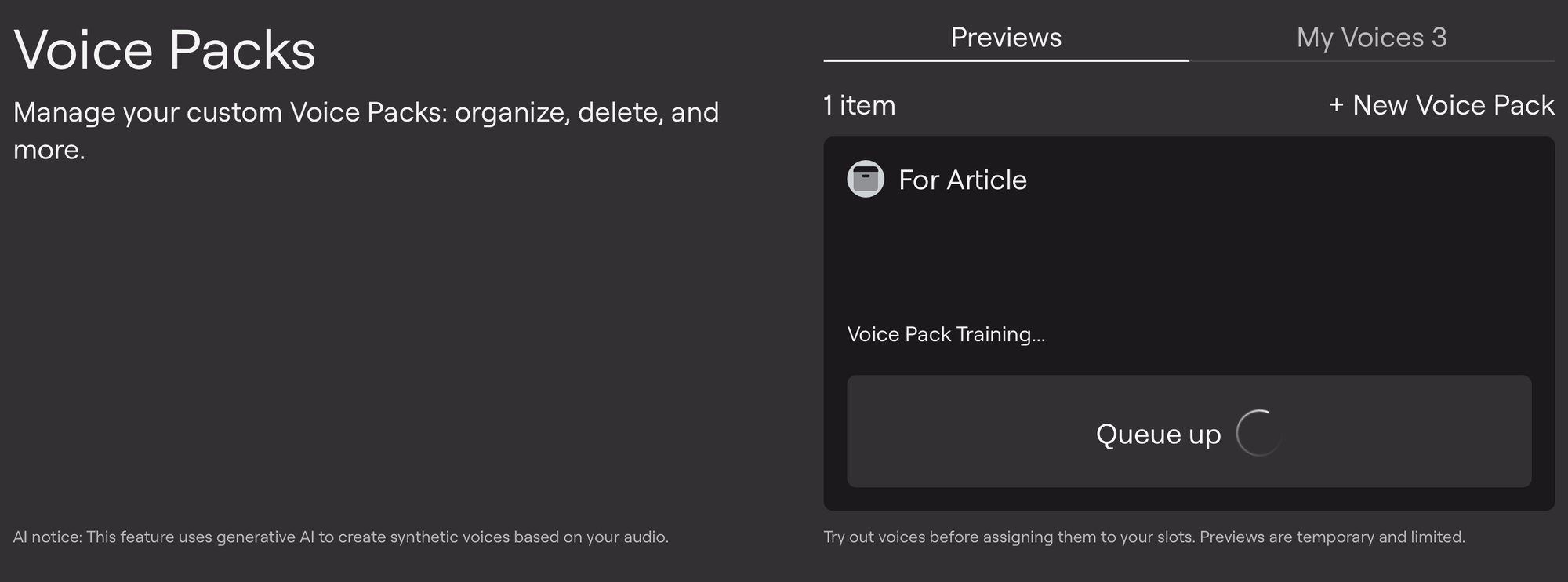
- Preview before committing. You can test the trained voice against your own podcast sample rather than a generic demo (even though the generic demo is also available), so you hear how it handles your actual vocabulary and delivery before you rely on it.
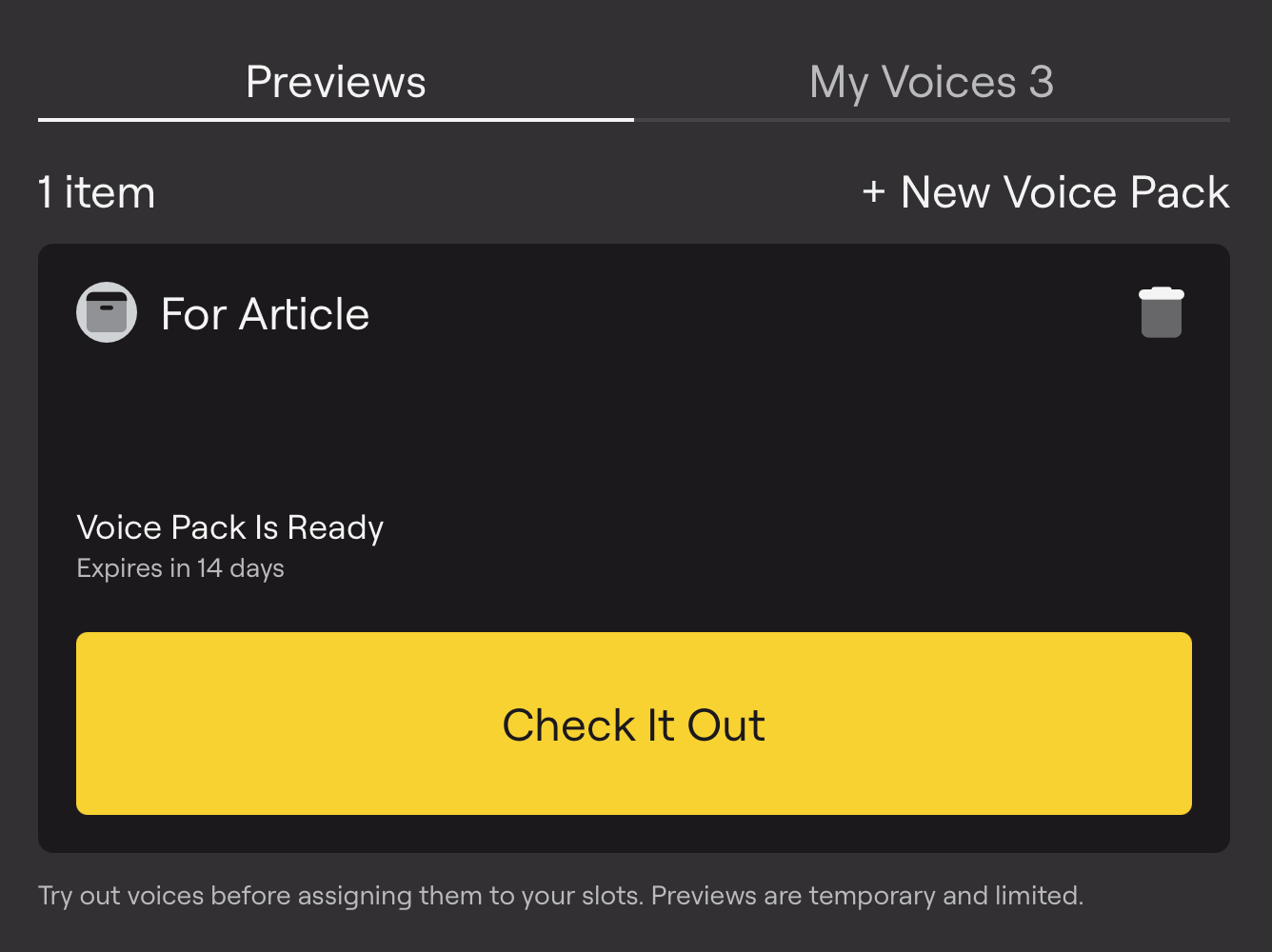
To listen to how Voice Cloner handles your own tone, pronunciation, and accent, add up to three custom preview samples. Click the Upload New Sample button in the left menu on the preview page under My Samples.
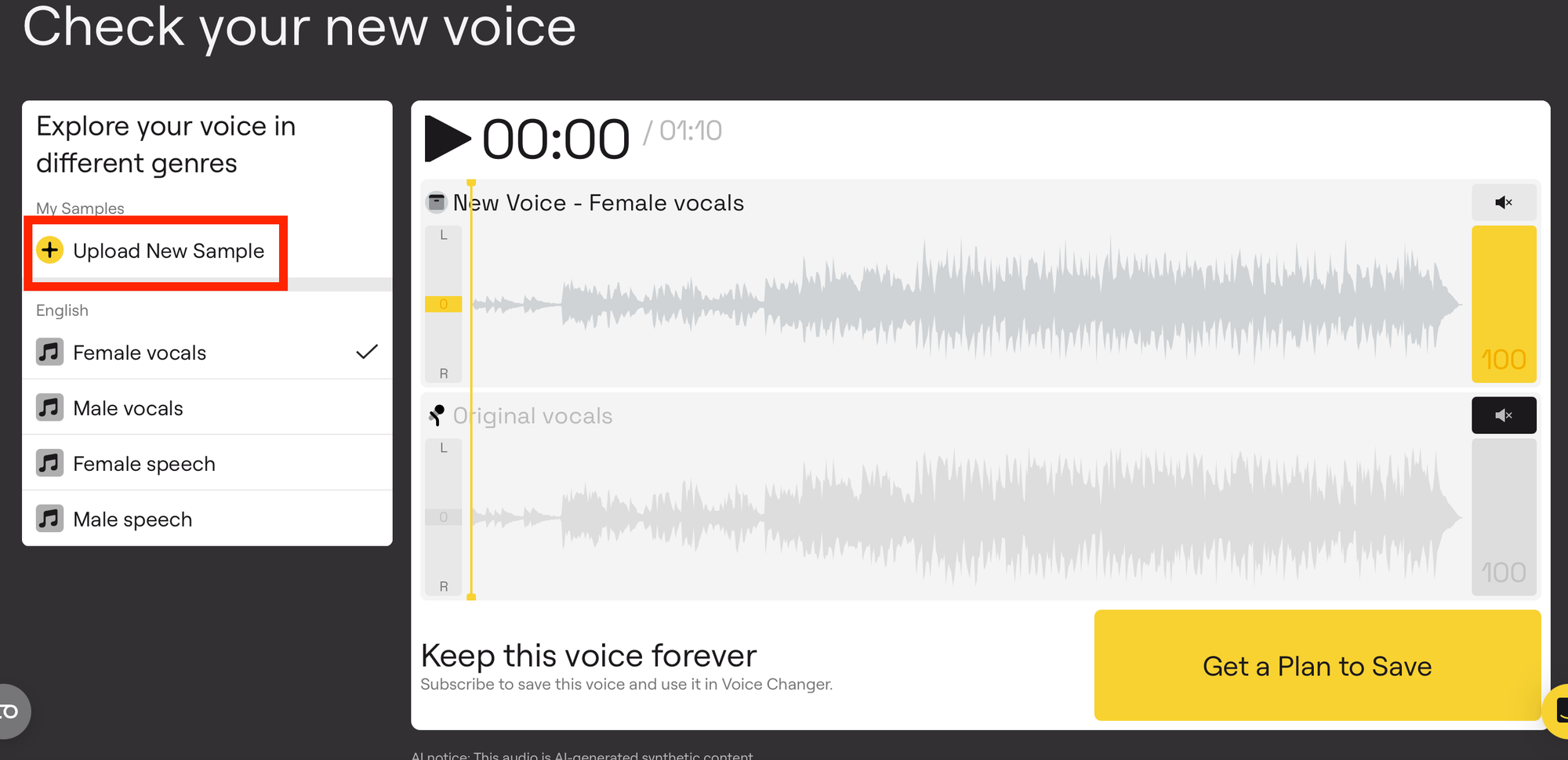
- Get the full voice clone. Voice Packs sit under the Lite (one Voice Slot) and Pro (three Voice Slots) subscription plans, so if you already either a Lite or a Pro user, you’ll only need to place your new Voice Pack in one of the Slots available based on your current subscription plan.
If you’re a new user, press the Get a Plan to Save button, and subscribe to LALAL.AI, selecting one of the plans.
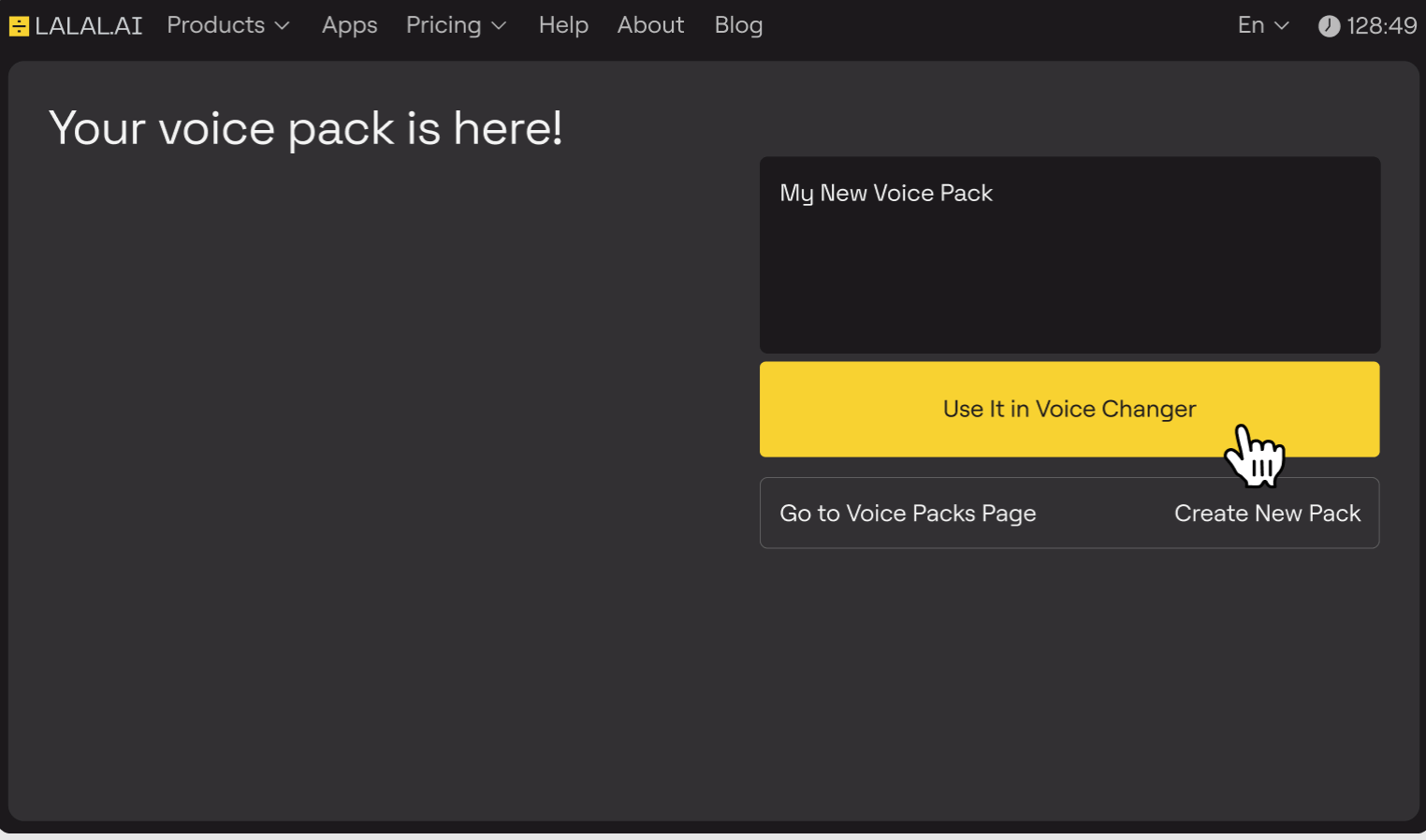
- Use the Voice Pack in Voice Changer. LALAL.AI Voice Changer is the tool where all the speech-to-speech magic happens. Click the Use It in Voice Changer button to take the voice clone you’ve just created and make it read the text you need.
- Upload a new sample. Since LALAL.AI turns speech into speech, you’ll need to add another sample that contains the text you’d like the target voice to read.
- Preview the output. The output is the voice that sounds like the clone you’ve made with the sample 1 in the beginning and reads the text from the sample 2 you’ve just uploaded. If you’re satisfied with the result, click Process the Entire File.
If you want to change tone, accent, or remove echo from the output file, jump to the next step.
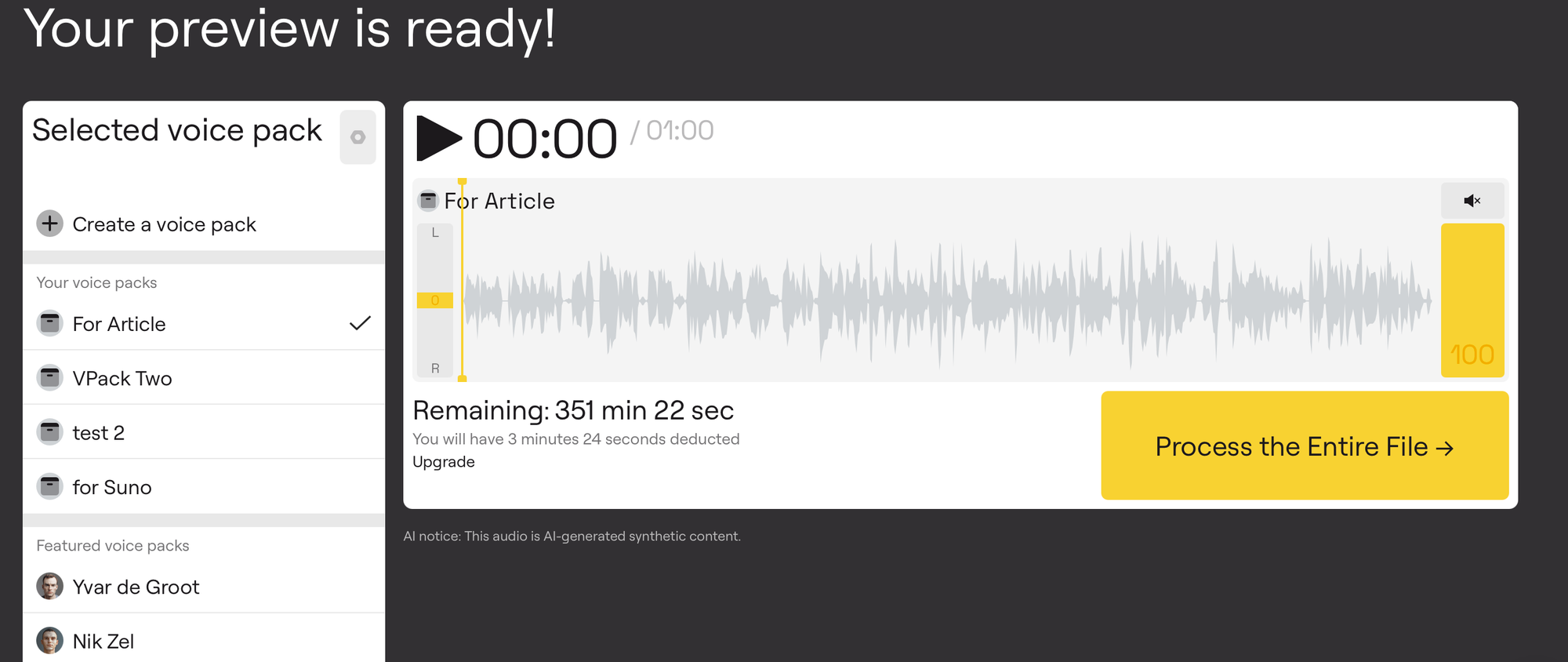
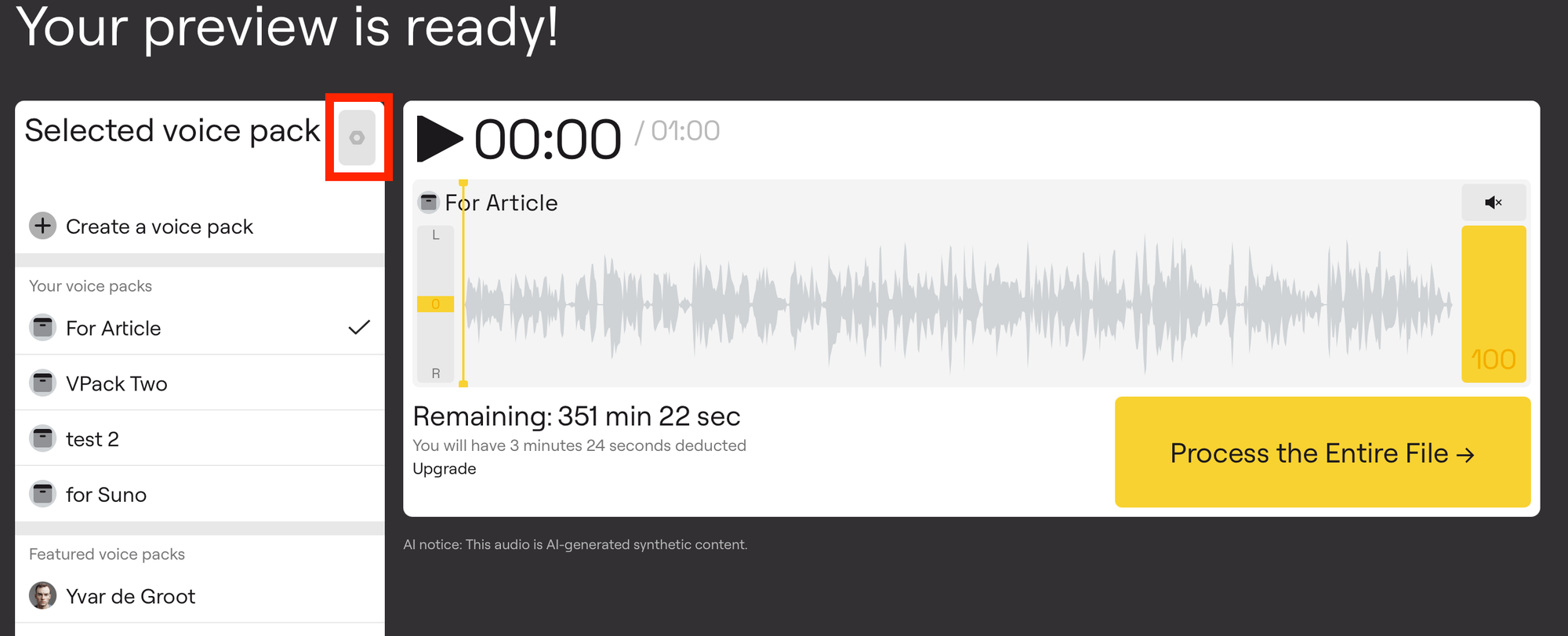
- (Optional): Adjust the settings of the output voice. Click the gear icon (Settings) next to the selected pack and find the Tonality, Accent and De-echo settings.
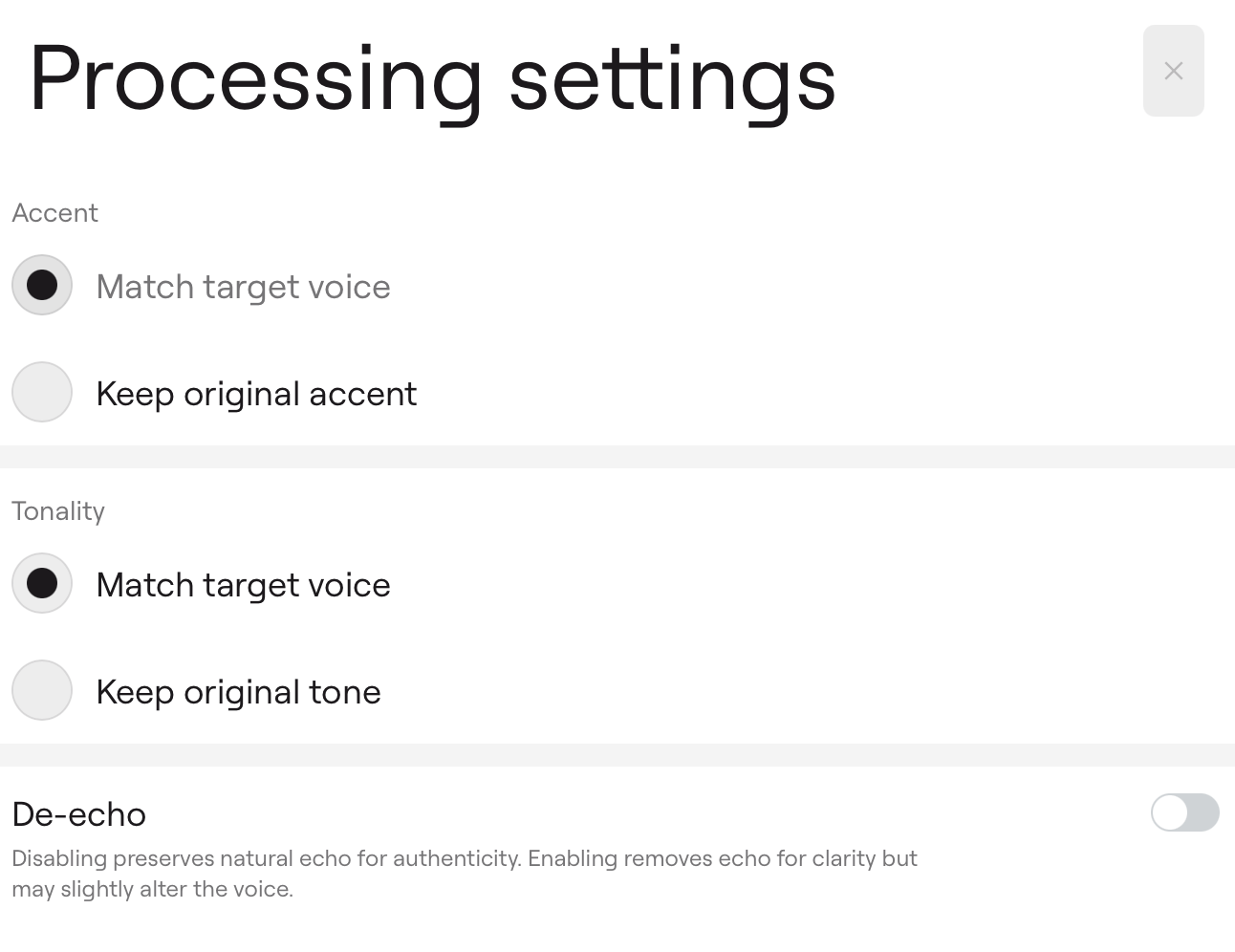
🟡 To remove echo, toggle the De-echo on.
🟡 To change the tone in the output voice, play with the Tonality setting.
🟡 To change the accent in the output voice, play with the Accent setting.
If in step 7 you uploaded the sample with the same voice as in the first sample (used for creating a clone), the Tonality and Accent settings won’t change much as they mostly influence the output result when voices in the two samples differ significantly.
- Create a new preview. Once you change the voice settings, press the Create a New Preview button.
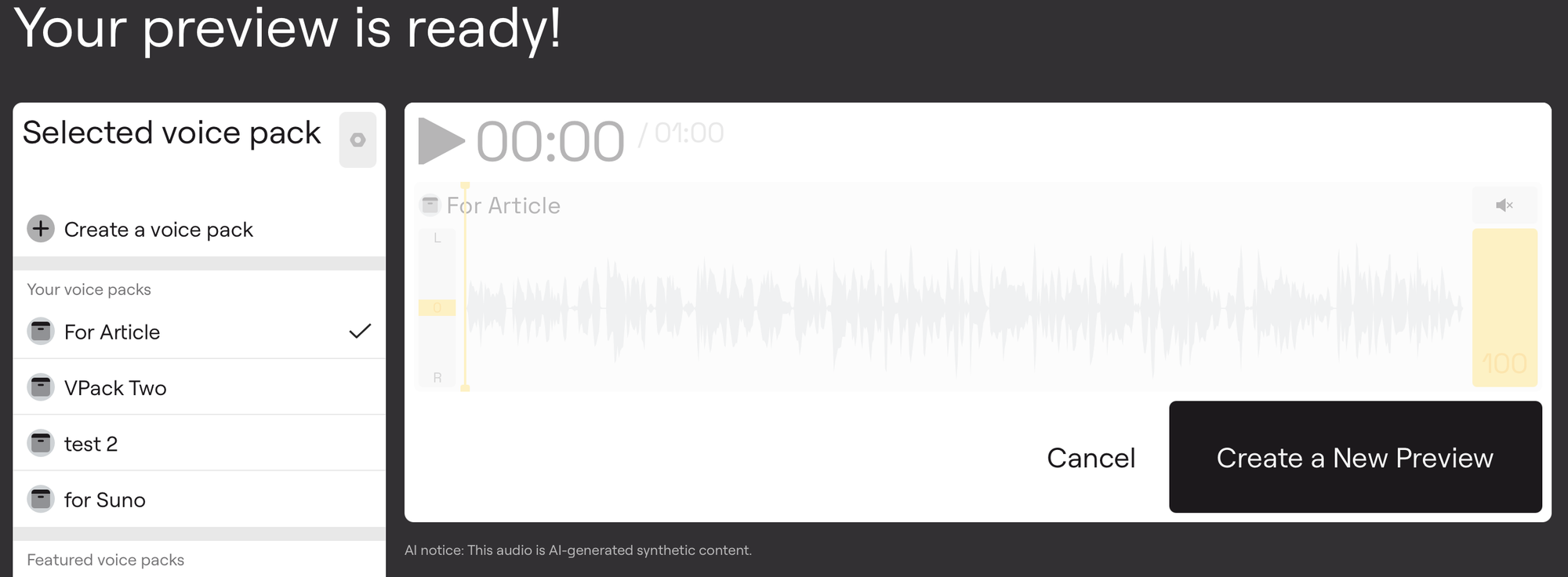
Listen to it and either generate anew or apply the required settings to the entire file.
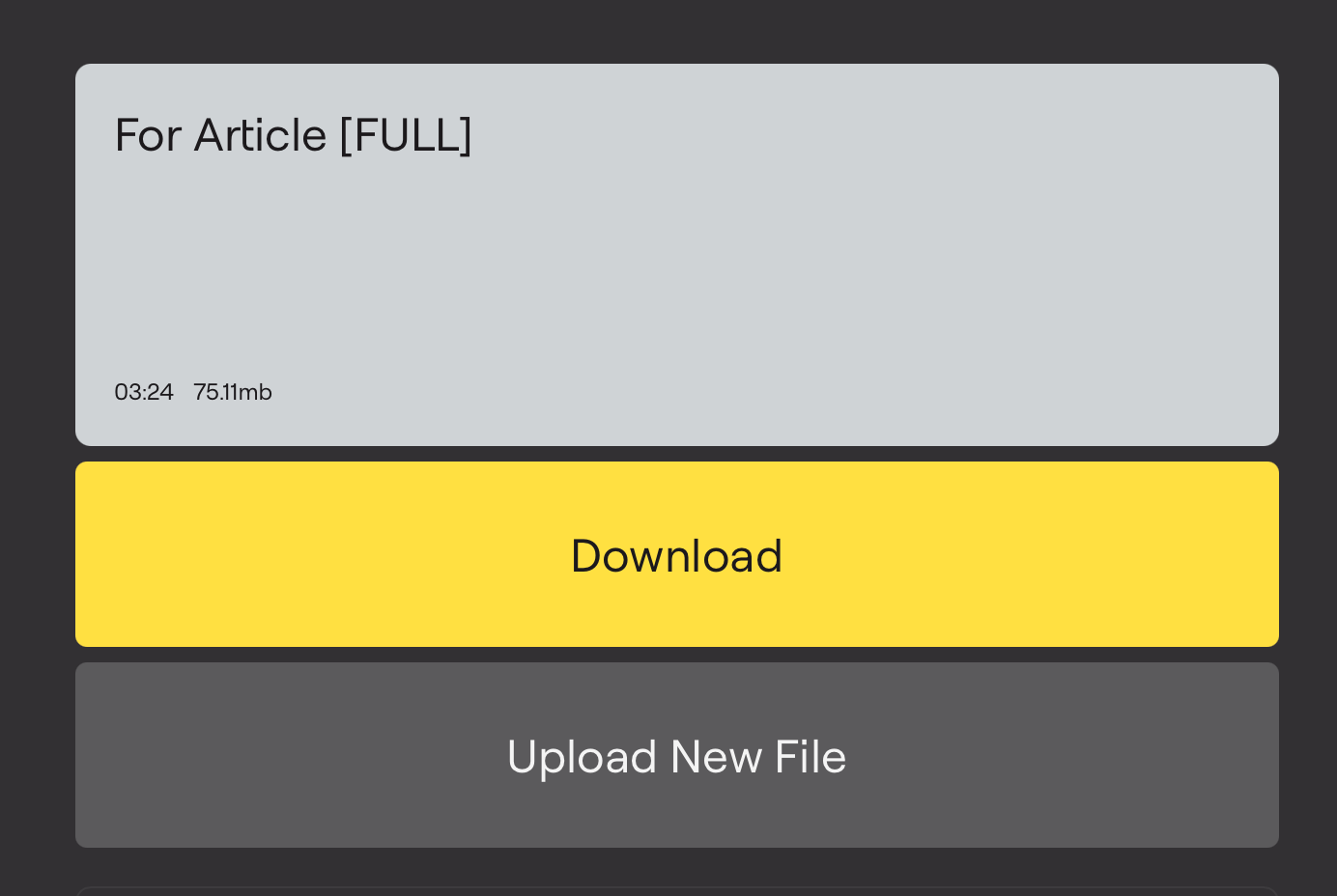
- Wait till LALAL.AI processes the entire file. Download the file once it’s available. Now, you can add it to your podcast audio timeline in any editing software of your choice.
When to Turn to Voice Cloning
Voice cloning isn’t the only option when it comes to extending the original podcast recording, updating it, fixing a mistake, add a missing sentence, etc. It is, though, if you want to get everything done without bringing the host or guests back into a recording session for various reasons.
| Method | Turnaround | Consistency across episodes | Best suited for |
|---|---|---|---|
| Re-recording the segment yourself | Depends on your schedule and setup | High, if your gear and voice haven't changed | Minor fixes when you're available same-day |
| Hiring a voice actor | Days to weeks, plus casting | Depends on actor availability long-term | One-off narration, character voices, ads |
| Generic text-to-speech | Minutes | High, but doesn't sound like the host | Placeholder audio, accessibility features |
| Cloned voice of the actual host | Minutes, after initial setup | High, and matches the host specifically | Fixes, ad reads, localization, consistency |
The trade-off with cloning is upfront: you need a handful of clean samples and a few minutes of processing time before the first use. After that setup, each additional use is close to instant, which is the opposite of hiring a voice actor, where every new script means a new booking.
The Legal Side: What Changed in 2024, and What It Means for Podcasters
Voice cloning got regulatory attention fast, largely because of scam calls and political deepfakes rather than podcasting, but the resulting rules apply to any use of someone's voice without consent.
Two developments matter most. The FTC finalized its Impersonation Rule in February 2024, giving the agency direct enforcement power against AI-enabled impersonation of individuals and businesses, on top of its existing authority under Section 5 of the FTC Act. It went into effect in April 2024. Separately, Tennessee’s ELVIS Act, effective July 1, 2024, prohibits using a person’s voice or likeness without consent for advertising, publishing an unauthorized voice replica, or distributing technology whose primary purpose is generating unauthorized voice clones, and it explicitly defines “voice” to cover digital recreations, not just original recordings. Other states have moved in the same direction with their own publicity-rights updates.
The FTC has also run a dedicated Voice Cloning Challenge as part of its broader effort to prevent scam calls that impersonate family members or officials, and it’s been explicit that there’s no AI carve-out in existing consumer protection law.
For a podcast, the practical rules of thumb are straightforward:
- Only clone your own voice, or a voice you have clear, written consent to clone. That includes co-hosts and guests. A verbal “sure, go ahead” during recording is not the same as documented consent covering future use.
- Disclose when a segment uses a cloned voice, especially in ad reads or sponsored content, where the FTC’s endorsement guidance treats a misleading impression of who’s actually speaking as a material misrepresentation regardless of the technology behind it.
- Never use a cloned voice to generate quotes or statements a person didn’t make. That’s the line between production efficiency and fabrication, and it's the one most likely to create real legal exposure.
- Keep records. If you clone a co-host’s or a recurring guest’s voice for production purposes, a simple written agreement covering scope and revocation protects everyone involved.
None of this is legal advice, and rules vary by jurisdiction and keep changing, so check current guidance or talk to a lawyer if you’re building voice cloning into a commercial production pipeline at scale.
FAQ
What is voice cloning, exactly?
Voice cloning is a process that trains an AI model on samples of a specific person’s speech, then uses that model to generate new audio in that same voice. It differs from generic text-to-speech, which reads text in a stock synthetic voice with no connection to a real individual.
Is it legal to clone your own voice for a podcast?
Yes. Cloning your own voice, or a voice you have documented consent to use, is legal in the US and most jurisdictions. The legal risk appears when a voice is cloned and used without the speaker’s permission, which is what recent rules like the FTC’s Impersonation Rule and Tennessee’s ELVIS Act specifically target.
How many audio samples do you need to clone a voice?
With LALAL.AI Voice Cloner, up to five clean recordings are enough to train a usable voice model. Audio free of background noise, music, or reverb produces noticeably better results than compressed or noisy source files.
How long does it take to create a voice clone?
Typically a few minutes, though processing time depends on the length and audio quality of the uploaded samples.
Can I use a cloned voice for commercial podcast content, like ads?
Yes, as long as it’s your own voice or one you have consent to use. Disclosure matters most in sponsored or endorsement-style content, where listeners could otherwise be misled about who’s actually speaking.
Can I clone a guest’s voice from a recorded interview?
Not without their explicit, documented consent for that specific use. Recording an interview for broadcast doesn’t automatically grant rights to clone and reuse that person’s voice separately.
Follow LALAL.AI on Instagram, Facebook, Twitter, TikTok, Reddit, LinkedIn, and YouTube to keep up with all our updates and special offers.