Voice Cloner FAQ: How Voice Pack Slots, Pricing & Settings Work
Answers to the most common questions about LALAL.AI Voice Cloner.

We've seen a lot of recurring questions about how the LALAL.AI Voice Cloner works, what to expect, and how to get the most out of it, so we've made a quick FAQ list to help you clarify these things.
💡 Updated September 2026: This FAQ now reflects the switch from one-time Voice Pack purchases to Voice Pack Slots, as well as the Tonality, Accent, and De-echo settings available when you use your clone in Voice Changer.
Creating a Voice Clone
🗂️ How many voice samples do I need to upload?
You can upload up to five voice recordings to create your voice clone. The more varied (different tones, emotions, and content) and clean the recordings are, the better your final voice pack will be.
🗂️ What are the requirements for voice recordings?
For the best results, recordings should be:
- Clear
- Free of background noise, music, or reverb/echo
- 10-50 minutes of a sample audio or video
🗂️Which formats can I upload?
To train your own Voice Pack and create a voice clone, you can upload MP3, OGG, WAV, FLAC, AVI, MP4, MKV, AIFF, and AAC.
🗂️ How long does it take to create a voice clone?
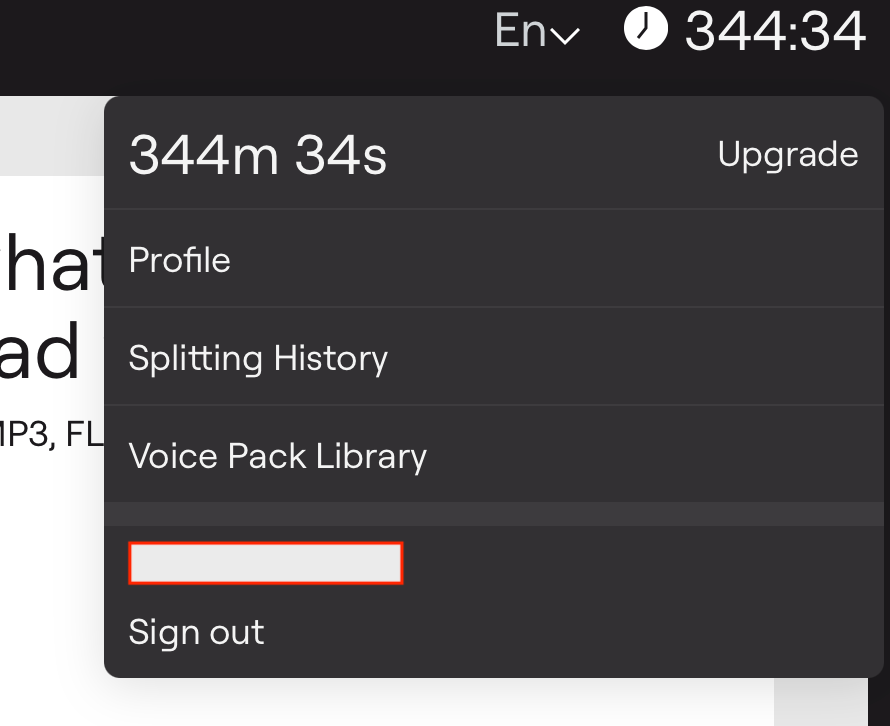
It usually takes just a few minutes. The exact time depends on the length and quality of your recordings. You don't have to keep the page open while the model trains. You can find your clone later through the dropdown menu → Voice Pack Library.
🗂️ Can I test a voice clone before saving it?
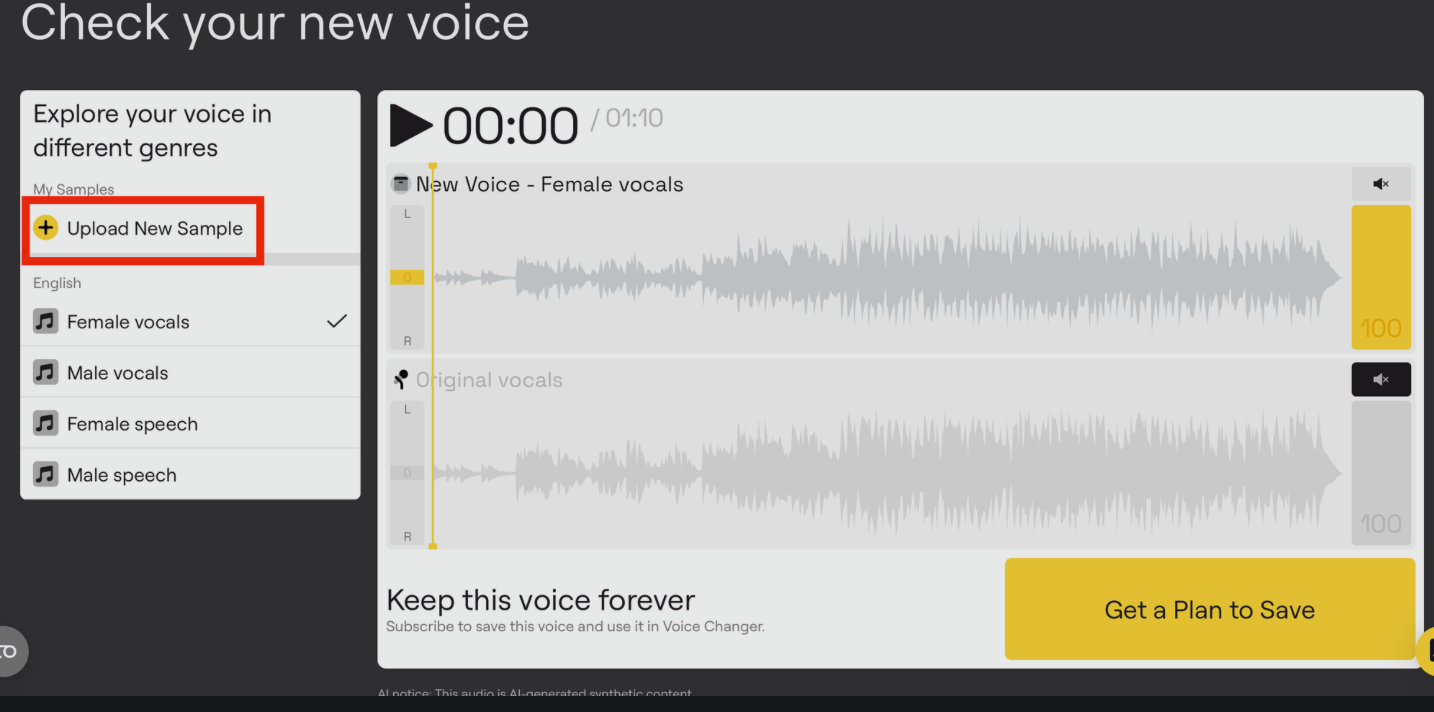
Yes. Every trained voice starts as a preview, so you can listen and evaluate it before deciding what to do with it. Besides the generic demo, you can add up to three custom preview samples to hear how the clone handles your own vocabulary, pronunciation, accent, and delivery. Click Upload New Sample in the left menu on the preview page, under My Samples.
🗂️ What languages does the Voice Cloner support?
Voice Cloner works with any language. Once your voice pack is created, you can use it to clone speech in any language you speak, and adjust accent and pitch settings in the Voice Changer for even more control.
Using Your Voice Clone
🗂️ Can I use LALAL.AI as a text-to-speech tool?
Not at this point. LALAL.AI is speech-to-speech, which means you upload a voice or video recording, and the tool converts it into your cloned voice. If you need text-to-speech, depending on your exact use case, you can pair it with third-party tools after generating your audio.
🗂️ Can I use samples of my voice from different languages or this is a curve ball for the cloner?
You can upload samples in any language and get the Voice Pack in the same language, just make sure the quality of the audio/video samples is high. However, if you want to, say, mix Russian and English recordings in Voice Cloner and create a voice clone containing two or more languages, it won't be possible because our voice modification tools can only process and detect one language at a time.
🗂️ Why doesn't my clone sound exactly like the voice I cloned?
In most cases, the problem is the settings, not the clone itself. When you apply a Voice Pack in Voice Changer, click the gear icon (Settings) next to the selected pack. You'll see two controls:
- Accent defines how words are pronounced. Match target voice applies the pronunciation style of your cloned voice. Keep original accent preserves the pronunciation of the speaker in the recording you're converting.
- Tonality defines how speech sounds emotionally and stylistically: intonation, expressiveness, softness or sharpness. Match target voice applies the delivery of your cloned voice. Keep original tone keeps the emotional coloring of the source recording.
These settings have the most noticeable effect when the voice in the recording you're converting differs significantly from the cloned voice. If both recordings feature the same person, switching them won't change much. For a detailed walkthrough, read How to Adjust Tonality & Accent in LALAL.AI Voice Cloner.
🗂️ How do I remove reverb from my voice clone?
You can deal with reverb at two stages.
Before training. Reverb or echo in your training samples can carry over into the clone, so it's best to clean the source recordings first. Run them through Echo & Reverb Remover or Voice Cleaner and upload the cleaned files to Voice Cloner.
When applying the clone. If the converted audio still sounds roomy, open Voice Changer, click the gear icon (Settings) next to your Voice Pack, and toggle De-echo on. Then press Create a New Preview to compare the result before processing the entire file.
🗂️ Can I use my voice clone for commercial purposes?
Yes, you can use your cloned voice in podcasts, videos, ads, and more, as long as you respect applicable copyright laws.
🗂️ Is LALAL.AI Voice Cloner available via API?
Yes. Voice packs you train in Voice Cloner can be used through the LALAL.AI API. Find your pack ID with the voice pack list endpoint, then pass it to the voice change endpoint to convert new recordings. Accent, tonality, and de-echo are adjustable as API parameters too. API access is included in the Pro plan.
Pricing & Voice Pack Slots
🗂️ How does pricing work?
Voice Packs are now part of the LALAL.AI subscription. Instead of buying each voice separately, your plan includes Voice Pack Slots, reserved spaces in your account where you store, swap, and manage your trained voices.
- Lite, $10/month: 1 Voice Pack Slot, 90 Fast Queue minutes per month, unlimited minutes in the Relaxed Queue, 2GB upload limit, result downloads, and batch processing.
- Pro, $20/month: 3 Voice Pack Slots, 250 Fast Queue minutes per month, plus everything in Lite, the VST plugin, local processing with our on-device Lyra model, API access, and early access to new features.
Both plans give you access to the full LALAL.AI toolkit. If you manage several voices for different projects, you can buy additional slots on top of your plan's default.
🗂️ Do I need a subscription to use Voice Cloner?
You can train voices and listen to previews without a subscription. To save a trained voice and use it in Voice Changer, you need at least one Voice Pack Slot, which is available with any active Lite or Pro subscription.
🗂️ Can I use my LALAL.AI minutes to create a voice clone?
LALAL.AI minutes aren't deducted when you create a voice clone. A voice clone is saved into a Voice Pack Slot that comes with your Lite or Pro subscription, and your plan's minutes cover processing across LALAL.AI tools, including Voice Changer, where you apply your clone to new recordings.
🗂️ Can I replace a voice clone in my slot?
Yes. If you train a better version of a voice later, you can swap it into the same slot at no extra charge. If you accidentally overwrite a Voice Pack, you can request a restore through our support team within 30 days of the replacement.
🗂️ Can I keep a slot-based Voice Pack permanently?
Yes. A buyout option is available for voices you want to keep; they're independent of your subscription.
🗂️ I bought Voice Packs with Vox Lite or Vox Max. What happens to them?
Nothing changes for them. Voice Packs purchased under the old model are yours permanently, don't occupy any slots, and stay in your account with or without a subscription. If you subscribe, your slots are added on top of your existing packs. For example, if you have two purchased packs and subscribe to Lite, you'll have those two permanent packs plus one swappable slot.
🗂️ What happens to my Voice Packs if I cancel my subscription?
We keep your slot-based Voice Packs on hold while your subscription is inactive. Once you renew, they're restored to your library just as they were before you cancelled. Voice Packs purchased under the old one-time model don't depend on a subscription, so you can keep using them in the meantime.
Rights & Data
🗂️ Where did the training data come from?
We don’t use scraped or public internet content. All training data comes from session artists who were hired and compensated specifically to lend their voices for this purpose.
🗂️ Are my recordings used to train LALAL.AI models?
No. The recordings you upload are used only to build your specific clone and aren't fed back into training LALAL.AI's broader models.
Common Confusions We See
1. Training a voice and saving it are two different steps. You can train and preview a clone without a subscription, but you need a Voice Pack Slot to save it and use it in Voice Changer.
2. The Accent, Tonality, and De-echo settings live in Voice Changer. When you upload the Voice Pack to Voice Changer, click the gear icon above Voice Pack to find Accent, Tonality, and De-echo settings. Many users miss this part and assume the clone itself is off.

3. Old purchased packs don't take up slots. Voice Packs bought with Vox Lite or Vox Max stay permanent, and your subscription slots are added on top of them.
Follow LALAL.AI on Instagram, Facebook, Twitter, TikTok, Reddit, LinkedIn, and YouTube to keep up with all our updates and special offers.